
LibreOffice 7.6.3: Free Download and Android Viewer
- 11/24/2023 03:08am
Exciting New Release of LibreOffice
LibreOffice 7.6.3 Community, the open-source office suite supported by volunteers, is available with enhancements for desktop users and the return of LibreOffice Viewer for Android to the Google Play Store. This release keeps the focus on free download access, document compatibility, digital independence and practical use on Windows, macOS, Linux and Android.
LibreOffice users can work with Open Document Format (ODF) files and Microsoft Office documents, while Android users can view common office formats through LibreOffice Viewer. The version also keeps experimental editing available in the mobile application settings for users who want to test and help improve these features.
LibreOffice 7.6.3 Community - The Power of Digital Independence
The version 7.6.3 Community is the latest update in the 7.6 family, offering a free office suite compatible with Windows (Intel/AMD and ARM), macOS (Apple and Intel), and Linux processors. LibreOffice stands out by providing exceptional compatibility with the Open Document Format (ODF) as well as Microsoft Office files while ensuring security and robustness. With its advanced technological platform, LibreOffice consistently introduces new features for users looking to migrate from Microsoft Office.
LibreOffice 7.6.3 Community is designed for everyday office work with a free and open-source office suite. Its compatibility with ODF helps users create and exchange documents in an open format. Its support for Microsoft Office files helps users open and work with documents such as text files, spreadsheets and presentations created in widely used office formats.
- ODF compatibility: users can work with the Open Document Format used by LibreOffice.
- Microsoft Office file support: the suite can handle files from common Microsoft Office workflows.
- Cross-platform availability: the article mentions Windows, macOS and Linux compatibility.
- Free download: LibreOffice 7.6.3 Community is available without purchase for users who want an open-source office suite.
LibreOffice Viewer for Android - A New Era on Google Play
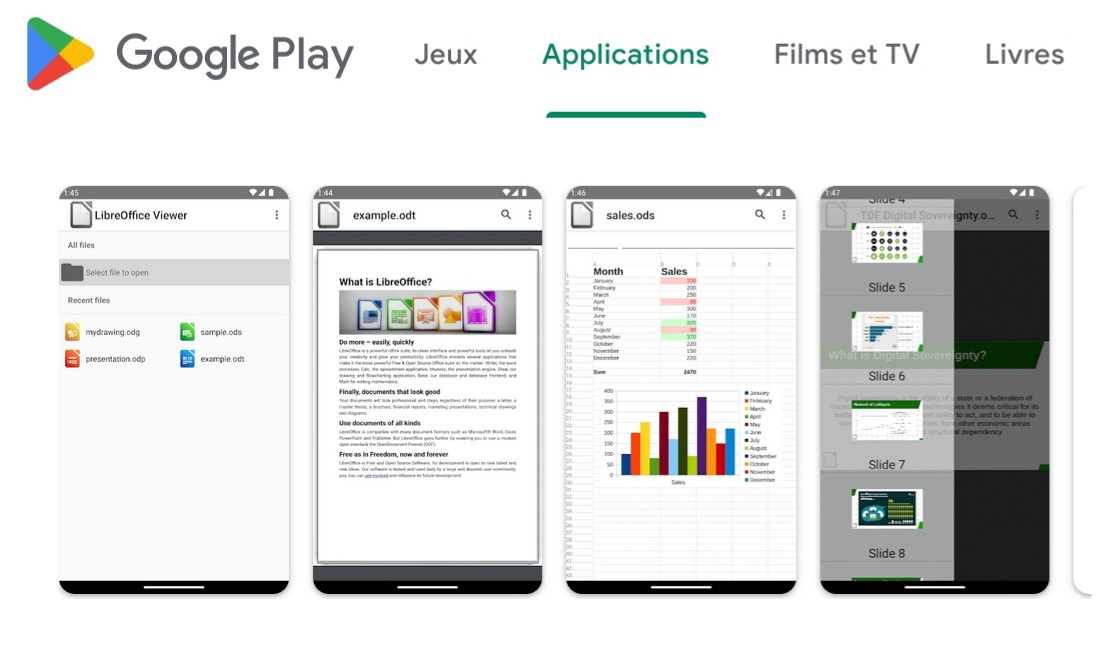
With version 7.6.3, LibreOffice Viewer makes a grand return to the Google Play Store, offering Android users the ability to view documents in ODF and Microsoft Office (.docx, .xlsx, .pptx) formats. This lightweight application is built on the same technology as the desktop version of LibreOffice, ensuring a consistent user experience.
LibreOffice Viewer for Android is useful when users need to open office documents on a phone or tablet. The app focuses on viewing files, including ODF documents and Microsoft Office formats such as .docx text documents, .xlsx spreadsheets and .pptx presentations. This helps Android users check document content while away from their desktop computer.
Experimental Editing - Join in the Improvement
LibreOffice Viewer offers experimental editing features that can be activated in the application settings. Although not recommended for professional use, these features represent a key aspect of the open-source project, and the community encourages participation to further improve them.
Because experimental editing is activated from the application settings, users can choose whether they want to test it. The article notes that these features are not recommended for professional use. They are presented as experimental, so they are best understood as features made available for testing and feedback rather than as a replacement for the full desktop editing experience.
LibreOffice for Enterprises - The Path to Digital Independence
For enterprise deployments, the Document Foundation highly recommends the LibreOffice Enterprise suite, offering additional features and benefits such as service level agreements (SLA). Every line of code developed by partners is shared with the community, enhancing the LibreOffice technological platform.
This distinction helps separate personal or community use from enterprise deployments. LibreOffice 7.6.3 Community remains the free community version, while the article states that LibreOffice Enterprise is recommended for organizations that need additional services, including service level agreements.
Easy Download and User Preferences
LibreOffice 7.6.3 Community is available on our download page. For those preferring more stable versions, the 7.5 family is also maintained. Users can obtain technical support via mailing lists and the Ask LibreOffice website.
Users who want LibreOffice 7.6.3 Community can use the download page already mentioned in this article. The article also notes that the 7.5 family is maintained for people who prefer more stable versions. For help, users can turn to mailing lists and the Ask LibreOffice website.
| Item | Information mentioned in the article |
|---|---|
| Version | LibreOffice 7.6.3 Community |
| Office suite type | Free open-source office suite |
| Desktop compatibility | Windows (Intel/AMD and ARM), macOS (Apple and Intel), and Linux processors |
| Document formats | Open Document Format (ODF) and Microsoft Office files |
| Android app | LibreOffice Viewer on the Google Play Store |
| Android viewing formats | ODF, .docx, .xlsx and .pptx |
| Editing on Android | Experimental editing available in application settings |
| Alternative maintained family | LibreOffice 7.5 family |
FAQ about LibreOffice 7.6.3 Community
What is LibreOffice 7.6.3 Community?
LibreOffice 7.6.3 Community is the latest update in the 7.6 family mentioned in this article. It is a free open-source office suite compatible with Windows, macOS and Linux processors.
Where can LibreOffice 7.6.3 Community be downloaded?
LibreOffice 7.6.3 Community is available on the download page mentioned in this article.
What can LibreOffice Viewer for Android open?
LibreOffice Viewer for Android can view documents in ODF and Microsoft Office formats, including .docx, .xlsx and .pptx files.
Is experimental editing recommended for professional use?
No. The article states that experimental editing features in LibreOffice Viewer can be activated in the application settings, but they are not recommended for professional use.
Is the LibreOffice 7.5 family still mentioned as maintained?
Yes. The article states that the 7.5 family is also maintained for users who prefer more stable versions.
Conclusion
LibreOffice continues to score points in the world of digital independence with the release of version 7.6.3 and the return of LibreOffice Viewer on the Google Play Store. Download now to enjoy the new features and participate in the evolution of this open-source office suite. Your contribution matters in improving the experience for millions of users around the world.
LibreOffice 7.6.3 Community brings together the desktop office suite, ODF and Microsoft Office compatibility, and the Android viewing experience described in this article. Users can choose the 7.6.3 Community download or the maintained 7.5 family according to their preferences, while Android users can access LibreOffice Viewer through the Google Play Store link provided above.

