
LibreOffice vs Microsoft 365 for Professionals
- 10/09/2025 12:32am
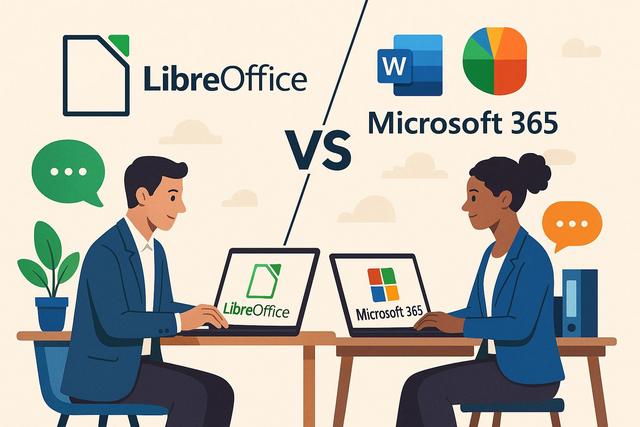
LibreOffice vs Microsoft 365: Which Suite to Choose for Professionals?
LibreOffice vs Microsoft 365 is a common comparison for professionals who need a reliable office suite for documents, spreadsheets, presentations, collaboration, and daily productivity. In the professional world, choosing the right office suite can significantly impact productivity, collaboration, and costs. Two of the most popular options are LibreOffice and Microsoft 365. This article compares these two suites to help you determine which one may better meet the needs of professionals.
Both solutions cover essential office tasks, but they differ in cost, cloud services, support, real-time collaboration, and integration with other tools. The best choice depends on how your team works, the types of files you exchange, and the level of support or online collaboration you require.
What is LibreOffice?
LibreOffice is a free and open-source office suite that offers a variety of applications for common office tasks. It includes programs like Writer for word processing, Calc for spreadsheets, and Impress for presentations. Being open source, LibreOffice benefits from an active community that contributes to its development and updates.
For professional use, LibreOffice can handle many everyday office needs without a subscription. Writer is used to create and edit text documents, Calc helps manage spreadsheet data, and Impress allows users to design slide-based presentations. These applications make LibreOffice a practical choice for users who want core office features with no licensing cost.
What is Microsoft 365?
Microsoft 365, formerly known as Office 365, is a subscription-based office suite. It includes popular applications like Word, Excel, PowerPoint, and Outlook. In addition to these core programs, Microsoft 365 offers cloud services, enabling storage and real-time collaboration.
Microsoft 365 is often used in professional environments where teams need shared documents, email, online meetings, and cloud storage. Its subscription model gives access to a broader set of services, including tools designed to support remote work and collaborative projects.
Quick Overview: LibreOffice vs Microsoft 365
| Criteria | LibreOffice | Microsoft 365 |
|---|---|---|
| Cost | Free and open source | Subscription-based |
| Main applications | Writer, Calc, Impress | Word, Excel, PowerPoint, Outlook |
| Collaboration | LibreOffice Online and offline work model | Real-time collaboration with cloud services |
| Support | Community-based support | Professional support |
| Best suited for | Basic office tasks, freelancers, small businesses with limited budgets | Teams needing advanced features, cloud tools, and integrated collaboration |
Feature Comparison
The feature comparison between LibreOffice and Microsoft 365 is especially important for professionals who create documents, analyze data, prepare presentations, and exchange files with clients or colleagues. Each suite includes tools for these needs, but the experience differs depending on the complexity of the work.
Word Processing: Writer vs Word
LibreOffice Writer and Microsoft Word are both powerful tools for word processing. However, Word remains more popular in the professional sector due to its compatibility and advanced features.
- Format Compatibility: Word supports a wider range of document formats, ensuring better compatibility with other programs and systems.
- Advanced Features: Word offers advanced layout and review functions, ideal for complex professional documents.
Writer is suitable for creating letters, reports, simple contracts, internal documents, and longer text files. For users who mainly need to write, format, and export documents, it covers the main requirements of word processing. Word is often preferred when teams exchange complex files, use advanced review functions, or depend on Microsoft file formats in their daily workflow.
Spreadsheets: Calc vs Excel
In terms of spreadsheets, Microsoft Excel is often considered the industry standard.
- Advanced Analytics: Excel provides powerful data analysis tools, such as Power Query and pivot tables, which are not as developed in Calc.
- Add-ins and Integrations: Excel benefits from a wide range of add-ons and integrated applications that enhance its functionality.
Calc can be used for budgets, lists, tables, basic calculations, and spreadsheet management. It is useful for professionals who need to organize data without investing in a paid office suite. Excel is better suited to advanced analysis needs, especially when users rely on Power Query, pivot tables, add-ins, or integrations with other business tools.
Presentations: Impress vs PowerPoint
For presentations, PowerPoint has long been the undisputed leader.
- Templates and Animations: PowerPoint offers a vast library of professional templates and sophisticated animations, making it easy to create engaging presentations.
- Online Collaboration: With Microsoft 365, PowerPoint allows for real-time collaboration on shared projects, improving team efficiency.
Impress allows users to create slide presentations for meetings, training sessions, reports, and project updates. It includes the basic tools needed to build and present slides. PowerPoint offers more options for users who need professional templates, advanced animations, and shared editing in a Microsoft 365 environment.
Cost and Accessibility
LibreOffice: The Free Advantage
LibreOffice is completely free, which can be a deciding factor for small businesses or freelancers on a tight budget. Its open-source model means there are no hidden costs.
This cost-free access can be useful when a professional needs an office suite for common tasks such as writing documents, creating spreadsheets, or preparing presentations. It also avoids recurring subscription charges, which may matter for users with limited software budgets.
Microsoft 365: Investment for Performance
Microsoft 365 operates on a subscription model, with different plans available based on business needs. While this represents a recurring cost, the subscription offers a comprehensive range of tools and services that can streamline workflows and improve productivity.
The subscription model may be more appropriate for organizations that need cloud storage, advanced collaboration, shared calendars, email tools, and professional support. These services can be part of the daily workflow for teams that work together across different locations.
Security and Support
LibreOffice Open Source Security
Being open source, LibreOffice benefits from constant oversight by a global community, making security patches often prompt. However, the lack of dedicated support can be a drawback for some businesses.
For companies that can manage software internally, community-based support may be sufficient. For organizations that require guaranteed assistance, the absence of dedicated support can be an important point to consider before choosing LibreOffice for professional deployment.
Microsoft 365: Professional Security and Support
Microsoft 365 offers professional support and robust security measures. Businesses benefit from automatic updates, secure data centers, and responsive customer support, which is crucial in a demanding professional environment.
These elements can help organizations maintain continuity when users need assistance, updates, or access to cloud services. For teams that depend heavily on online tools, support and automatic updates may simplify daily administration.
Collaboration and Cloud Tools
LibreOffice and Collaboration
LibreOffice has made strides to integrate collaboration through LibreOffice Online, but its integration is not as seamless as Microsoft's. Its offline working model may limit real-time collaboration.
LibreOffice remains useful for professionals who mainly work on local files or who share documents by email or other file transfer methods. This offline approach can be simple for individual work, but it may be less convenient when several people need to edit the same document at the same time.
Microsoft 365: Optimized Collaboration
Microsoft 365 excels in online collaboration. With tools like SharePoint, OneDrive, and Microsoft Teams, the suite enables smooth collaborative work, even remotely. This includes document sharing, real-time co-editing, and virtual meetings.
For professional teams, these tools support shared workspaces, remote meetings, and simultaneous editing. This can be especially helpful when several people must review a document, update a spreadsheet, or prepare a presentation together.
Compatibility and Integration
LibreOffice Compatibility
LibreOffice is compatible with various file formats, including those from Microsoft Office, but compatibility issues may arise when exchanging complex documents.
This means LibreOffice can open and save many common office files, but users should be careful with documents that include complex layouts, advanced formatting, macros, or specific Microsoft Office features. In professional exchanges, checking important files before sending them can help avoid formatting issues.
Microsoft 365: Seamless Integration
The Microsoft 365 suite offers near-perfect compatibility with MS Office file formats. Moreover, it integrates well with other Microsoft services and third-party applications, facilitating a unified work ecosystem.
This integration is useful for businesses that already work with Microsoft services or third-party applications connected to Microsoft 365. It can reduce friction when users move between documents, email, cloud storage, meetings, and shared workspaces.
Practical Choice Criteria for Professionals
When comparing LibreOffice vs Microsoft 365, professionals can focus on a few practical questions. These questions help connect the features of each office suite with real work needs.
- Budget: LibreOffice is free, while Microsoft 365 requires a subscription.
- Document complexity: Microsoft Word and Excel may be better suited to complex professional files and advanced features.
- Collaboration needs: Microsoft 365 provides stronger real-time collaboration through cloud services.
- Offline work: LibreOffice is well suited to users who mainly work locally.
- Support expectations: Microsoft 365 includes professional support, while LibreOffice relies more on community-based resources.
Conclusion: Which Suite to Choose?
For Small Businesses and Freelancers
LibreOffice is a good option for those seeking a cost-free solution with satisfactory features for basic office tasks.
It is especially useful for users who need Writer, Calc, and Impress for everyday work and who do not require extensive cloud collaboration or dedicated professional support.
For Medium and Large Businesses
Microsoft 365 may be more suitable due to its advanced features, collaboration tools, and solid professional support. Although the investment is higher, the benefits in terms of productivity and collaboration can be significant.
It is also a strong option for teams that depend on Word, Excel, PowerPoint, Outlook, SharePoint, OneDrive, and Microsoft Teams as part of a connected work environment.
In conclusion, the choice between LibreOffice and Microsoft 365 largely depends on your company's specific needs, feature preferences, and budget. Carefully considering these aspects will help you choose the office suite that best fits your business operations.
FAQ: LibreOffice vs Microsoft 365
Is LibreOffice free for professional use?
Yes. LibreOffice is completely free and open source, which can make it suitable for freelancers, small businesses, and professionals with a limited software budget.
Does Microsoft 365 offer better collaboration than LibreOffice?
Microsoft 365 offers strong online collaboration through tools like SharePoint, OneDrive, and Microsoft Teams. LibreOffice includes collaboration through LibreOffice Online, but the article notes that its integration is not as seamless as Microsoft's.
Can LibreOffice open Microsoft Office files?
LibreOffice is compatible with various file formats, including Microsoft Office formats. However, compatibility issues may arise when exchanging complex documents.
Which suite is better for spreadsheets?
Microsoft Excel is often considered the industry standard for spreadsheets. It includes advanced data analysis tools such as Power Query and pivot tables, while Calc is useful for common spreadsheet tasks.
Download the latest version of LibreOffice

