Welcome to Download LibreOffice, Anonymous 10/14/2026 04:44am

Latest News on LibreOffice | Updates and New Features

LibreOffice Calc: Create and Manage Spreadsheets

  • 03/02/2025 02:20am

Creating and managing spreadsheets with LibreOffice Calc

Creating and Managing Spreadsheets with LibreOffice Calc: Complete Guide

Introduction to LibreOffice Calc

LibreOffice Calc is a powerful open-source spreadsheet software that helps you create and manage spreadsheets efficiently. It offers a free alternative to Microsoft Excel and includes practical tools for data management, report creation, calculations, and statistical analysis.

With Calc, you can enter data, format cells, use formulas and functions, build charts, create pivot tables, validate entries, protect sheets, and automate repeated actions with macros. This guide explains the main features already available in LibreOffice Calc and shows how they can support everyday spreadsheet work.

Boost Productivity with LibreOffice Writer Tips

  • 03/01/2025 01:25am

Boost Your Productivity on LibreOffice Writer

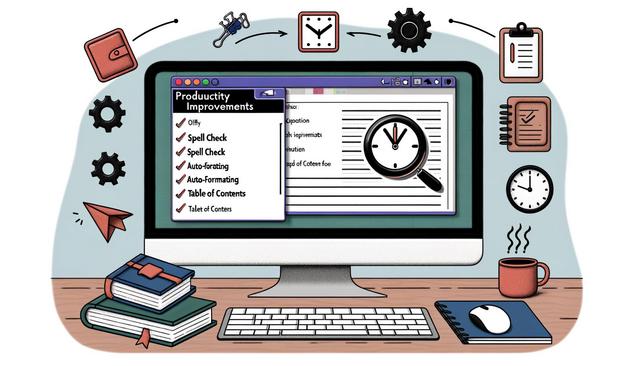
LibreOffice Writer: Tips and Tricks to Maximize Your Productivity

LibreOffice Writer is a popular and free alternative to Microsoft Word. It is well regarded for its flexibility, compatibility with various file formats, and powerful features. Whether you are a novice or an experienced user, discovering new tips and tricks can transform your experience and maximize your productivity. Here is a guide to help you get the most out of LibreOffice Writer.

This article focuses on practical ways to work faster in LibreOffice Writer: keyboard shortcuts, interface customization, document templates, spell checking, formatting tools, export options and extensions. Each tip can help you create, edit and share documents with fewer repetitive actions.

LibreOffice: Key Advantages Over Paid Suites

  • 02/28/2025 02:05am

LibreOffice: Unmissable Advantages over Paid Alternatives

Introduction to LibreOffice: A Free and Efficient Option

LibreOffice is an open-source office suite that serves as a solid alternative to paid solutions like Microsoft Office. Since its inception, LibreOffice has attracted a large number of users thanks to its robust features and zero cost. In this article, we will explore the various advantages of LibreOffice compared to its paid competitors.

For users who need everyday office tools, LibreOffice brings together word processing, spreadsheets, presentations, drawing, databases, and mathematical formula editing in one free office suite. It is designed for people who want to create, edit, share, and keep control of their documents without paying for a subscription or license.

Download and Install LibreOffice: 2025 Beginner Guide

  • 02/26/2025 06:38pm

Download and Install LibreOffice: Beginner's Guide 2025

Download and Install LibreOffice: Beginner's Guide 2025

In our digital age, having a free and reliable office suite is essential. LibreOffice stands out as an open-source alternative to industry giants. Learning how to download and install LibreOffice in 2025 is a practical skill that can save you time and money.

This beginner-friendly guide explains the main steps: choosing the right LibreOffice version, downloading it from the official website, running the installer, and starting the office suite for everyday tasks such as word processing, spreadsheets, and presentations.

LibreOffice Writer vs Free Word Processors

  • 02/25/2025 01:45am

LibreOffice Writer: Comparison with other free word processors

LibreOffice Writer: How It Compares to Other Free Word Processors


Introduction to LibreOffice Writer

LibreOffice Writer is a flagship component of the LibreOffice suite and a major option among free word processors. It is widely recognized for its free access and effectiveness. In a world where word processors are essential for writing, editing, formatting, and sharing documents, understanding how LibreOffice Writer positions itself against other available free options is crucial for making an informed choice.

This comparison focuses on the features already expected from a modern word processor: document layout, file compatibility, offline use, data protection, customization, and support resources. It also looks at how LibreOffice Writer compares with Google Docs and Online Microsoft Word for everyday writing as well as more structured documents.