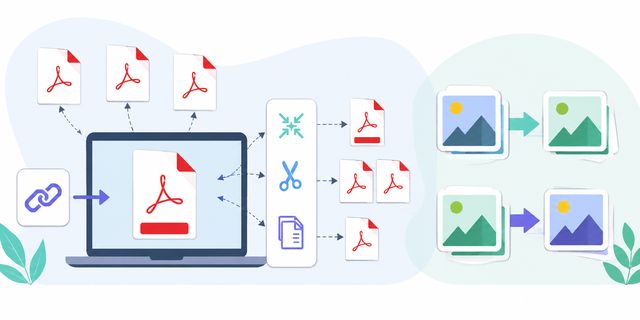
Free online PDF and image tools help thousands of people handle PDF files and images without installing dedicated software. Every day, users need to merge PDFs, reduce their size, split documents, or convert images in just a few seconds. These browser-based tools make those common tasks easier and faster.
The tools offered on LibreTools meet this need perfectly. They work on Windows, Mac, Linux, Chromebook, and even on mobile devices. This provides you with a quick solution to work on your documents wherever you are.
Discover Practical Tools
In this article, you will discover five practical tools:
- Merge PDF
- Compress PDF
- Split PDF
- JPG to WebP
- WebP to JPG
You will also learn when to use them and how they can save you time in your daily tasks. These online PDF and image tools are designed for simple operations, such as preparing a document for email, reducing an attachment size, or adapting an image format for a website or platform.
Merge PDF: Combine Multiple PDFs into One File
The first tool allows you to combine multiple PDF documents into a single file. You can access this tool here:
This feature is very useful in many situations. For example, you can:
- combine invoices;
- assemble scanned pages;
- create a single administrative folder;
- gather several chapters in one document;
- send a single file instead of multiple attachments.
The tool works directly in your browser. You select your PDF files, then you initiate the merge. The final document is automatically downloaded afterward.
Why Use an Online PDF Merger Tool?
Many paid PDF software offers this function. However, they often require heavy installation or a monthly subscription.
With an online tool, you enjoy several advantages:
| Function | Advantage |
|---|---|
| Quick merging | Only a few clicks are needed |
| No software | Works in the browser |
| Mobile compatible | Usable on smartphones |
| Free | No subscription required |
| Simple | Accessible to beginners |
This tool is also suitable for students, freelancers, associations, and small businesses. Indeed, many administrative tasks still require the use of the PDF format.
A Useful Tool for Administrative Procedures
Some platforms require a single PDF document. This often concerns:
- job applications;
- housing applications;
- bank files;
- administrative registrations.
With Merge PDF, you can quickly prepare a clean document that is easier to transmit. Keeping all pages in one file also reduces the risk of forgetting an attachment when you send documents by email or upload them to an online platform.
Compress PDF: Reduce the Size of a PDF File
The second tool is used to compress a PDF document to reduce its weight. You can try it here:
PDF files can sometimes become very large, especially when they contain:
- high-resolution images;
- scans;
- color documents;
- complex graphics.
A file that is too large often poses problems. For example, some services limit the size of attachments sent by email.
Why Compress a PDF?
Compression allows you to:
- easily send a document;
- save storage space;
- speed up downloads;
- improve sharing on mobile.
You thus keep a lighter document while maintaining acceptable quality for reading.
A Time Saver in Daily Tasks
Many users waste time with messages like:
- “File too large”;
- “Attachment rejected”;
- “Download impossible”.
Compress PDF reduces this type of problem. Therefore, you can share your documents more quickly.
A Useful Solution for Remote Work
Remote work and digital exchanges are rapidly growing. As a result, PDF documents are constantly circulating.
A compression tool becomes very practical for:
- freelancers;
- trainers;
- businesses;
- students;
- associations.
You maintain a smoother workflow, as files remain easy to send. A lighter file is also easier to download on a mobile connection, which can be useful when working outside the office.
Split PDF: Extract Pages from a PDF Document
The Split PDF tool allows you to separate a PDF file or extract only certain pages.
You can access this tool here:
This function becomes very useful when you do not want to send a complete document.
When to Use Split PDF?
Here are some common examples:
- extract an invoice;
- retrieve a signed page;
- isolate a chapter;
- remove unnecessary pages;
- share only part of a document.
Instead of using complicated software, you can perform this operation directly in your browser.
A Practical Tool for Professionals
Companies often handle PDFs of several dozen pages. However, a client may sometimes only need a single part of the document.
Split PDF simplifies the sharing of information.
For example:
- an accountant can isolate a statement;
- a teacher can extract an exercise;
- a tradesperson can send only a quote.
Simple and Quick Handling
The tool remains accessible even for beginners. You simply choose the pages to keep or extract.
The final document is then automatically downloaded.
This simplicity avoids the complex manipulations often found in some professional PDF software.
JPG to WebP: Convert a JPG Image to WebP
The WebP format is becoming increasingly popular on the internet. The next tool allows you to convert JPG images to WebP:
Google developed this format to reduce the weight of images while maintaining good visual quality.
Why Use the WebP Format?
The main advantage of WebP is related to file size.
A WebP image is often lighter than a classic JPG image. This brings several benefits:
- faster web pages;
- better mobile experience;
- reduction in bandwidth;
- improved SEO.
Search engines favor fast sites. Consequently, many website owners are now converting their images to WebP.
A Useful Tool for Content Creators
Bloggers and website administrators often handle hundreds of images.
With JPG to WebP, you can:
- optimize a blog;
- speed up an e-commerce site;
- reduce loading times;
- improve mobile performance.
This optimization becomes important, as Google takes page speed into account in its ranking.
A Simple Conversion Without Software
Some image software can be complicated for beginners. However, this tool allows for immediate conversion:
- add the JPG image;
- start the conversion;
- download the WebP file.
The file name is usually preserved, making image organization simple.
WebP to JPG: Convert a WebP Image to JPG
Even though WebP is progressing rapidly, the JPG format is still widely used. Some software or platforms do not properly support WebP files.
The next tool allows you to convert a WebP image to JPG:
Why Go Back to JPG Format?
The JPG format works almost everywhere:
- social networks;
- legacy software;
- printers;
- administrative platforms;
- mobile applications.
This universal compatibility remains very useful in everyday life.
A Simple Solution for Non-Technical Users
Many users download a WebP image without understanding why it does not work in certain software.
With WebP to JPG, you can quickly retrieve an image compatible with most devices.
A Practical Tool for Social Media
Some platforms still poorly handle WebP files. As a result, converting an image to JPG can avoid:
- import errors;
- poor display quality;
- compatibility issues.
The JPG format remains a safe choice for easily sharing images.
Why Use Online Tools Instead of Software?
Online tools are becoming popular for several simple reasons.
You Avoid Installations
Software often requires:
- storage;
- updates;
- configuration;
- sometimes a paid license.
Web tools work immediately from the browser.
You Save Time
A simple operation does not necessarily require professional software. To merge a PDF or convert an image, a quick tool is often sufficient.
You Remain Compatible with All Systems
The offered tools work on:
- Windows;
- macOS;
- Linux;
- Android;
- iPhone;
- Chromebook.
This compatibility facilitates remote work or travel.
Useful Tools for Individuals and Professionals
These tools are not just for technical experts.
Here are some profiles that can use them regularly:
- students;
- teachers;
- freelancers;
- associations;
- tradespeople;
- content creators;
- businesses.
The needs often remain simple: send a document, reduce a file size, or convert an image.
However, these tasks can quickly take time without the right tools.
Quick Overview of Available Tools
| Tool | Main use | Typical situation |
|---|---|---|
| Merge PDF | Combine several PDF files | Create one document from multiple files |
| Compress PDF | Reduce PDF file size | Send a lighter attachment by email |
| Split PDF | Extract or separate PDF pages | Share only part of a document |
| JPG to WebP | Convert a JPG image to WebP | Prepare lighter images for the web |
| WebP to JPG | Convert a WebP image to JPG | Use an image on platforms that prefer JPG |
FAQ About Online PDF and Image Tools
Do these PDF and image tools require installation?
No. The tools described in this article work directly from a browser, so you do not need to install software on your computer or mobile device.
Can I use these tools on a phone or Chromebook?
Yes. The article states that LibreTools works on Windows, Mac, Linux, Chromebook, and mobile devices. This makes the tools useful when you are away from your main computer.
Which tool should I use to send several PDFs as one file?
You can use Merge PDF to combine several PDF documents into one file before sending or uploading it.
Which tool helps reduce a PDF attachment size?
You can use Compress PDF to reduce the size of a PDF file when an attachment is too large.
Why convert JPG images to WebP?
Converting JPG images to WebP can reduce image weight while maintaining good visual quality. This can help make web pages faster and improve the mobile experience.
Conclusion
Online PDF and image tools allow you to quickly perform everyday tasks without installing complicated software.
Thanks to:
you can easily manipulate your documents and images directly from your browser.
These solutions remain simple, fast, and accessible to the general public. They meet both personal needs and professional uses.
Finally, their online functionality saves time while maintaining great compatibility with all modern devices.

