
How to Download and Install LibreOffice in 2024
- 01/04/2024 05:07am
LibreOffice 7.6 remains a powerful and free office suite, with new features and improvements awaiting you in 2024. Its intuitive interface and advanced tools are designed to unleash your creativity and boost your productivity.
 1à
1à
Explore the Applications
LibreOffice includes Writer for word processing, Calc for spreadsheets, Impress for presentations, Draw for drawing, Base for databases, and Math for editing mathematical formulas.
These applications cover the main needs of an office suite. Writer helps you create and edit text documents. Calc is designed for spreadsheets and data tables. Impress is used to prepare presentations. Draw supports drawing tasks, Base is used for databases, and Math lets you edit mathematical formulas.
Get the Latest Version
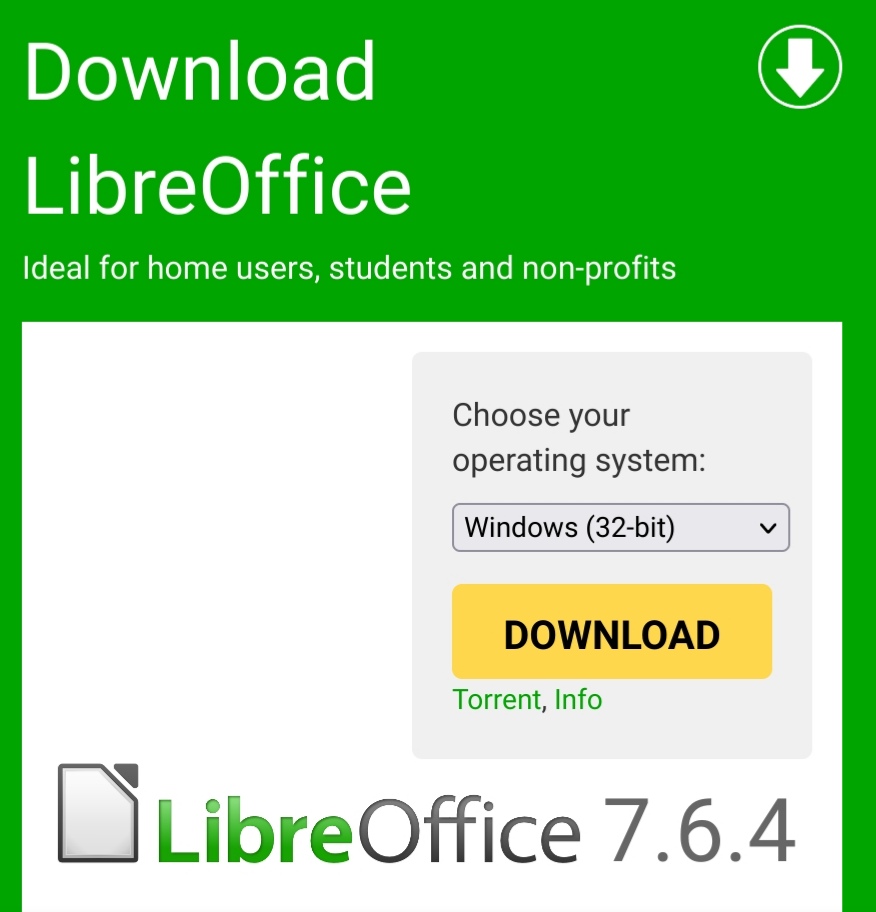
Start by visiting the download page of the LibreOffice Foundation to get the latest version.
Using the official download page helps you get the LibreOffice installer from the source mentioned in this guide. Before starting the installation, save the installer in a folder where you can easily find it, such as your downloads folder or another directory of your choice.
Easy Installation Steps
Easy Installation Steps
No need to uninstall a previous version of LibreOffice. If you already have one, your preferences will be preserved.
The installation process is divided into simple dialogs. Read each screen carefully, choose the options that match your needs, and continue with the "Next" button when you are ready.
-
Download the LibreOffice Installer
Download and save the installer to a directory of your choice. Double-click the installer and follow the welcome dialog. Click "Next".
-
Enter Your Information (Optional)
Enter your name and your organization’s name, this is optional. Choose whether all users on the computer should have access to this installation. Click "Next".
-
Select Installation Type
Choose a default installation or customize it by selecting components. Click "Next" or "Custom" then "Next".
-
Custom Installation of Components
Select the modules, filters, and interface languages you need. Click "Next".
-
Opening Microsoft Office Documents
Choose whether Microsoft Office documents should open with LibreOffice. Check the boxes if necessary.
-
Create a Desktop Shortcut
Indicate if you want a shortcut on the desktop. Click "Install".
-
LibreOffice is Installing
Once installation is complete, click "Finish" in the last dialog.
-
LibreOffice is Ready!
Congratulations! You are ready to enjoy the latest version of LibreOffice. Happy usage!
Installation Options Explained
During installation, LibreOffice may offer a default installation or a custom installation. The default installation is suitable when you want to install the usual components without choosing each element manually.
The custom installation lets you select modules, filters, and interface languages. This can be useful if you want to adjust the installation to your needs. For example, you can keep the applications you plan to use most often, such as Writer, Calc, Impress, Draw, Base, or Math.
- Modules: the main LibreOffice applications included in the office suite.
- Filters: components used to open or manage different document formats.
- Interface languages: languages available for the LibreOffice user interface.
- Desktop shortcut: an optional shortcut that helps you launch LibreOffice more quickly.
Using LibreOffice After Installation
Once LibreOffice is installed, you can start using the applications included in the suite. Writer can be used to write letters, reports, notes, or other text documents. Calc can help organize information in rows and columns. Impress is intended for slide presentations. Draw supports drawing tasks, Base is used for database work, and Math is available for mathematical formulas.
If you selected the option to open Microsoft Office documents with LibreOffice, the related files can be associated with LibreOffice according to the choices made during installation. If you did not check these boxes, you can still open documents from within LibreOffice when needed.
Quick Recap
| Step | Action |
|---|---|
| Download | Get the LibreOffice installer from the download page mentioned above. |
| Start setup | Double-click the installer and follow the welcome dialog. |
| Choose options | Select a default or custom installation, then choose components if needed. |
| Install | Confirm the desktop shortcut option and click "Install". |
| Finish | Click "Finish" when the installation is complete. |
Keep your office suite up to date for an optimal experience.
FAQ: Download and Install LibreOffice in 2024
Do I need to uninstall a previous version of LibreOffice?
No. The guide states that you do not need to uninstall a previous version of LibreOffice. If you already have one, your preferences will be preserved.
Where should I download LibreOffice?
You should start from the LibreOffice Foundation download page mentioned in this article to get the latest version.
Can I customize the LibreOffice installation?
Yes. The installer lets you choose a default installation or a custom installation. With the custom option, you can select modules, filters, and interface languages.
Can LibreOffice open Microsoft Office documents?
During installation, you can choose whether Microsoft Office documents should open with LibreOffice by checking the available boxes if necessary.
Which applications are included in LibreOffice?
LibreOffice includes Writer for word processing, Calc for spreadsheets, Impress for presentations, Draw for drawing, Base for databases, and Math for editing mathematical formulas.
Conclusion
Downloading and installing LibreOffice 7.6 in 2024 is a straightforward process. Visit the official download page mentioned above, save the installer, follow each installation dialog, and choose the options that suit your use. After installation, you can use Writer, Calc, Impress, Draw, Base, and Math as part of the LibreOffice office suite.

