
LibreOffice Extensions and Templates for Productivity
- 10/31/2011 05:01am
LibreOffice extensions and templates help users add useful functionalities and streamline document creation. LibreOffice offers a wide range of features, and if you are looking for additional functionalities, the extensions and templates you seek might soon be available in the new tool that allows you to consolidate collections on the dedicated site for templates and extensions.
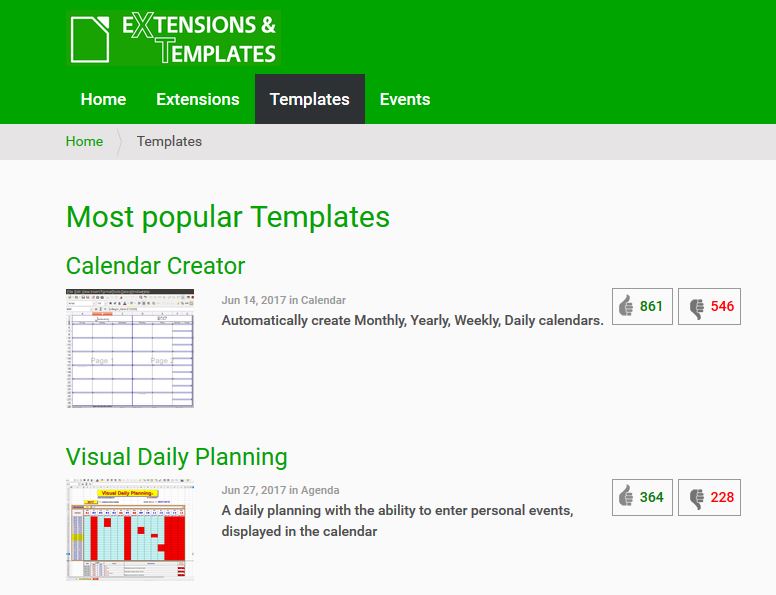
LibreOffice templates can save time when creating recurring documents, while extensions can add or change features in the office suite. Both resources support a more consistent workflow for personal, educational, and professional use.
LibreOffice templates
Templates
LibreOffice provides us with a way to avoid duplicating repetitive actions when creating new text documents, spreadsheets, or presentations through templates. Templates also help maintain consistency in the presentation of documents and their content, particularly for professional use.
A template is useful when the same structure is needed more than once. For example, it can prepare the layout, headings, tables, styles, and recurring content before the user starts editing. This can be helpful for Writer documents, Calc spreadsheets, and Impress presentations when a consistent format is required.
LibreOffice remains committed to providing users with quality software written under free software licenses, and as such, its catalog of templates is published under a free license. Furthermore, contributions to the catalog are welcome to enrich the database.
The various categories include: Accounting, Agenda, Arts, Book, Brochure/Pamphlet, Budget, Business, Business POS, Business Shipping, Calendar, Card, Curriculum/Resume, CD/DVD, Certificate, Checkbook, Christmas, Computer, Conference, E-book, Education, Academia, Elementary/Secondary School, Envelope, Fax, Genealogy, Grocery, Invoice, Labels, Letter, Magazine, Media, Memo, Music, Newsletter, Notes, Paper, Presentation, Recipe, Science, Sports, Timeline, Timesheet, Trades, To Do List, Writer
These categories cover many common document needs. They can help users prepare invoices, calendars, resumes, letters, presentations, newsletters, labels, and other recurring files without starting from a blank page each time.
LibreOffice extensions
Extensions
LibreOffice offers tools that can be added or removed independently from your main program installation. Extensions can add new features to your LibreOffice or modify existing functionalities.
An extension is designed to adapt the office suite to specific needs. Depending on the extension, it may provide language tools, dictionaries, gallery content, or extra features for one or more LibreOffice modules. This allows users to extend LibreOffice without changing the main installation.
Extensions are also available under free software licenses, and contributions to the catalog are once again welcome.
The various categories include: Extensions for all program modules, Gallery Contents for all program modules, Language Tools for all program modules, Dictionaries of different languages for all program modules, Writer Extensions, Calc Extensions, Impress Extensions, Draw Extensions, Base Extensions, Math Extensions
These categories make it easier to find tools for specific tasks. Writer Extensions can relate to text documents, Calc Extensions to spreadsheets, Impress Extensions to presentations, Draw Extensions to graphics, Base Extensions to databases, and Math Extensions to formulas. Extensions for all program modules can apply more broadly across LibreOffice.
Templates and extensions at a glance
| Resource | Main use | Examples mentioned |
|---|---|---|
| Templates | Avoid duplicating repetitive actions and keep documents consistent. | Text documents, spreadsheets, presentations, invoices, calendars, resumes, letters, labels. |
| Extensions | Add new features or modify existing functionalities in LibreOffice. | Language Tools, Dictionaries, Writer Extensions, Calc Extensions, Impress Extensions, Draw Extensions, Base Extensions, Math Extensions. |
Practical uses in LibreOffice
- Writer: templates can help create letters, resumes, newsletters, labels, and other text documents with a consistent layout.
- Calc: templates can support spreadsheets such as budgets, invoices, timesheets, and checkbooks.
- Impress: templates can provide a prepared structure for presentations.
- Draw: extensions can be added for the Draw module when specific additional functionalities are needed.
- Base: extensions can be used with the Base module when tools are available for database-related needs.
- Math: extensions can be used with the Math module for formula-related work when suitable tools are available.
FAQ about LibreOffice extensions and templates
What are LibreOffice templates used for?
LibreOffice templates are used to avoid repeating the same setup when creating new text documents, spreadsheets, or presentations. They also help maintain a consistent presentation and structure.
What are LibreOffice extensions used for?
LibreOffice extensions are tools that can be added or removed independently from the main program installation. They can add new features or modify existing functionalities.
Are LibreOffice templates and extensions available under free software licenses?
Yes. The article states that the catalog of templates is published under a free license and that extensions are also available under free software licenses.
Can users contribute to the LibreOffice templates and extensions catalogs?
Yes. Contributions to the templates catalog and to the extensions catalog are welcome in order to enrich the database.
Which LibreOffice modules have extension categories?
The categories mentioned include Writer Extensions, Calc Extensions, Impress Extensions, Draw Extensions, Base Extensions, and Math Extensions, as well as extensions for all program modules.
Conclusion
LibreOffice extensions and templates provide practical ways to adapt the office suite to everyday document creation. Templates help users start from prepared layouts and keep documents consistent, while extensions can add or adjust features across LibreOffice modules. The dedicated catalogs for templates and extensions make these resources easier to consult and use.

