Online Text Editor Compatible with LibreOffice
- 05/27/2026 02:41am
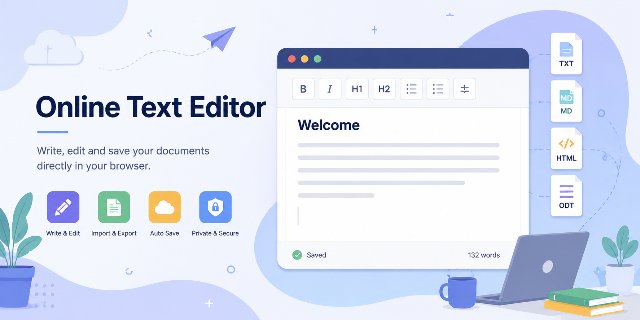
An online text editor compatible with LibreOffice is useful when you need to open, edit or export a document quickly from a browser. LibreOffice remains a benchmark among free office suites. Millions of users utilize it every day to write documents, create spreadsheets, or prepare presentations. However, some occasional tasks do not necessarily require launching a full software suite.
This is precisely where an online text editor becomes interesting.
A tool like Online Text Editor does not replace LibreOffice; rather, it complements it for quick needs such as:
- opening an ODT file;
- quickly editing text;
- importing or exporting various formats;
- writing a few notes;
- converting a document;
- working from a browser without installation.
The goal is simple: to provide a lightweight, free, and immediately accessible solution.
Why Use an Online Text Editor with LibreOffice
Many users do not require a complete office suite for every minor change.
For instance:
- correcting a few lines;
- quickly viewing an ODT file;
- copying formatted text;
- writing a quick note;
- working from a tablet;
- editing a document on a shared computer.
In these situations, an online text editor saves time as it starts instantly in the browser.
You can avoid:
- installing software;
- updates;
- large loading times;
- mandatory account systems.
This makes the tool practical for short edits, quick checks and temporary writing tasks. The user can focus on the text itself instead of opening a complete desktop environment.
Open ODT Files Directly in the Browser
The ODT format remains at the heart of the LibreOffice ecosystem. However, many online services primarily focus on Microsoft Word's DOCX files.
This can be inconvenient when you receive a LibreOffice document and simply want to:
- view it;
- edit the text;
- retrieve its content;
- make a quick modification.
The online editor allows you to open ODT files directly from the browser.
This approach becomes very convenient:
- on the go;
- on mobile;
- from a temporary computer;
- on low-powered machines;
- for quick needs.
Thus, you maintain compatibility with LibreOffice without having to launch a heavy application.
Import and Export Multiple Document Formats
Today, content moves between various formats.
A user can:
- write in Markdown;
- export to HTML;
- save in TXT;
- reopen an ODT file later.
The editor supports several popular formats.
Supported Formats for Import
| Format | Compatible |
|---|---|
| TXT | Yes |
| Markdown | Yes |
| HTML | Yes |
| ODT | Yes |
Supported Formats for Export
| Format | Compatible |
|---|---|
| TXT | Yes |
| Markdown | Yes |
| HTML | Yes |
| ODT | Yes |
This flexibility enhances user comfort as users can easily switch from one tool to another.
For web writing, Markdown and HTML export are especially useful. For office work, ODT support helps keep a document usable with LibreOffice Writer after a quick browser-based edit.
A Free Online Tool for Occasional Needs
Many people use a text editor only a few times a month.
In this context, a free online tool represents a very practical solution.
The user can:
- open the page immediately;
- start writing;
- import a document;
- export a file;
- close the browser afterwards.
No registration is required.
This simplicity is becoming rare today as many online services impose:
- a subscription;
- cloud storage;
- account creation;
- artificial limitations.
A Lightweight and Fast Solution
Modern office suites can sometimes be heavy for small tasks.
In contrast, a lightweight online editor remains:
- fast;
- simple;
- responsive;
- easy to use.
The modern browser now allows:
- text editing;
- local storage;
- file processing;
- format conversion;
- opening ODT documents.
All this directly on the user's side.
The result is often smoother for simple needs.
Automatic Local Backup in the Browser
Text loss is a common issue when writing.
An accidental refresh or closing of the browser can sometimes cause an entire document to disappear.
The online editor reduces this risk by providing automatic local backup.
The content is saved directly in the user's browser.
This feature is particularly useful for:
- drafts;
- notes;
- quick ideas;
- articles in preparation;
- temporary texts.
Automatic backup also improves user comfort since the user does not have to constantly click "Save".
Better Document Privacy
Many online tools transfer documents to remote servers.
This raises questions regarding:
- privacy;
- security;
- data storage.
The online text editor takes a different approach as processing is done locally in the browser.
This means documents remain on the user's device.
This architecture offers several advantages:
- greater privacy;
- less server dependency;
- better speed;
- less waiting during imports.
Mobile Device Compatibility
Traditional office software can sometimes be difficult to use on smartphones.
The interfaces are often:
- too cluttered;
- poorly adapted;
- complex on a small screen.
A lightweight editor generally performs better on mobile as it focuses on the essentials.
Users can:
- quickly open a document;
- edit text;
- export a file;
- resume a note on the go.
This flexibility becomes important as mobile work continues to grow each year.
Useful Daily Features
The editor does not aim to replicate all the advanced functions of a complete office suite.
The goal is rather to provide the tools that are truly useful for everyday writing.
Main Functions
- rich text editing;
- H1 and H2 headings;
- bold and italic;
- lists;
- word counter;
- document preview;
- file import;
- multi-format export;
- automatic backup;
- local storage.
These functions already cover a large part of common needs.
Rich text editing helps format a document without complex menus. Headings structure the content. Lists make information easier to read. The word counter is useful when a text must remain short or meet a specific length.
An Excellent Complement to LibreOffice
LibreOffice is ideal for:
- complex documents;
- advanced layouts;
- sophisticated tables;
- professional projects.
However, a lightweight editor often becomes more practical for quick usages.
Example of an Ideal Distribution
| Situation | Recommended Tool |
|---|---|
| Large professional document | LibreOffice Writer |
| Quick correction | Online editor |
| Fast ODT consultation | Online editor |
| Advanced layout | LibreOffice Writer |
| Quick notes | Online editor |
| Light mobile work | Online editor |
This complementarity works very well daily.
Support for Markdown and HTML
Markdown has become very popular among:
- bloggers;
- web writers;
- developers;
- SEO specialists.
The editor allows:
- importing Markdown;
- exporting Markdown;
- generating HTML.
This compatibility facilitates web content publishing.
For example, a user can:
- write a text;
- export to HTML;
- publish the result on a website.
This workflow becomes very convenient for content creation.
A Useful Tool for Students and Professionals
The editor can serve many purposes.
For Students
Students can:
- open assignments;
- edit notes;
- retrieve text;
- prepare drafts.
For Professionals
Professionals can:
- quickly correct a document;
- view an ODT file;
- prepare simple text;
- export content.
For Content Creators
Writers can:
- write articles;
- prepare Markdown;
- export HTML;
- work in a lightweight interface.
Online Office Tools Continue to Evolve
Modern browsers are becoming extremely powerful.
Today, they allow:
- local storage;
- document processing;
- format conversion;
- advanced text editing;
- partial offline functionality.
This evolution explains why online office tools are progressing rapidly.
However, classic software like LibreOffice remains essential for advanced uses.
That is precisely why a complementary lightweight editor becomes interesting.
Why This Online Text Editor Stands Out
Many online editors remain limited to plain text or DOCX files.
Few lightweight tools truly offer:
- opening ODT files;
- Markdown import;
- HTML export;
- local backup;
- browser processing.
The editor available on LibreTools combines these features in a simple and fast interface.
This combination becomes very appealing for small everyday needs.
FAQ About the Online Text Editor
Can the online text editor open ODT files?
Yes. The editor allows users to open ODT files directly in the browser, which is useful for quick viewing, text editing and simple corrections.
Does the editor replace LibreOffice Writer?
No. It complements LibreOffice Writer. LibreOffice remains better suited for complex documents, advanced layouts and professional projects, while the online editor is useful for quick tasks.
Which formats can be imported and exported?
The editor supports TXT, Markdown, HTML and ODT for import and export, according to the format tables above.
Is registration required to use the tool?
No. The tool can be used without registration, subscription or mandatory account creation.
Where is the content saved during editing?
The editor provides automatic local backup in the browser. This helps reduce the risk of losing drafts, notes, quick ideas and temporary texts.
Conclusion
LibreOffice remains an indispensable office suite for working on complete and advanced documents. However, some tasks simply require a quick, lightweight, and immediately accessible solution.
The Online Text Editor addresses exactly this need.
The tool allows:
- opening ODT files;
- importing various formats;
- exporting documents;
- writing quickly;
- automatically saving content in the browser.
All without installation and for free.
For occasional needs, a lightweight online text editor often becomes the fastest and most convenient solution.

