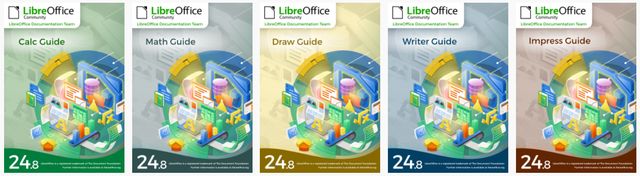
LibreOffice guides continue to evolve with updated documentation for Calc, Impress, Draw, and Math. LibreOffice continues to improve its office suite by updating its user guides. Recently, the Calc guide has been updated to version 24.8, bringing notable enhancements. Additionally, the Impress, Draw, and Math guides have also been updated to reflect the latest features of version 24.8.
These user guides help people understand how to use the main LibreOffice applications in practical situations. Calc is used for spreadsheets, Impress for presentations, Draw for drawings, and Math for equations. The updated guides provide clearer explanations for users who want to learn features, follow documented procedures, or improve their use of LibreOffice version 24.8.
Improvements in the Calc Guide 24.8
The new Calc Guide 24.8 has been revised to offer better clarity and readability. Among the additions is the integration of database table references in formulas. Additionally, the obsolete JavaScript debugger has been removed. The chapter on charts has been split into two: one for the basics of charts, and the other for chart types. These changes aim to facilitate understanding and usage of Calc.
For Calc users, these updates make the guide easier to follow when working with spreadsheets. The mention of database table references in formulas is useful for users who rely on structured data. The new organization of the chart chapter also separates general chart concepts from chart types, which can make it easier to find the right information when creating or editing charts.
- Calc Guide 24.8: revised for clarity and readability.
- Formulas: integration of database table references in formulas.
- JavaScript debugger: obsolete content removed.
- Charts: the chapter has been split into basics of charts and chart types.
Updates to the Impress, Draw, and Math Guides
Peter Schofield has recently updated the Impress, Draw, and Math guides for the 24.8 version of LibreOffice. These guides serve as references for users, covering aspects of presentations, drawings, and equations. They are designed to bridge the knowledge gaps of LibreOffice users.
The Impress guide supports users who need documentation for presentations. The Draw guide covers drawing-related tasks, while the Math guide focuses on equations. Together with the Calc guide, these updated LibreOffice guides give users a clearer path to the information they need for everyday work with the office suite.
| Guide | Main use mentioned | Version referenced |
|---|---|---|
| Calc Guide | Spreadsheets, formulas, charts | 24.8 |
| Impress Guide | Presentations | 24.8 |
| Draw Guide | Drawings | 24.8 |
| Math Guide | Equations | 24.8 |
Testimonials from the Documentation Team
Several members of the documentation team shared their experiences:
-
Dione Maddern: She took on the challenge of compiling the Calc guide to deepen her skills in advanced editing and working with master documents. She appreciated the opportunity to collaborate with the LibreOffice documentation team.
-
Ed Olson: He contributed by simplifying the verbose paragraphs of the Calc guides, finding the experience both challenging and rewarding.
-
Lisa Samy: For her first contribution to an open-source platform, she found the experience fulfilling and enjoyed working with the LibreOffice community.
-
B. Antonio F.: He created macros to harmonize the appearance of text according to the established chapter template, thus deepening his knowledge of macro programming and the LibreOffice API.
-
Claire Wood: She enjoyed working with a truly global team and enhanced her knowledge of spreadsheets by contributing to the Calc guide.
These testimonials describe different types of work involved in the documentation process. They mention compiling the Calc guide, simplifying paragraphs, contributing to an open-source platform, creating macros, working with master documents, and improving knowledge of spreadsheets. This also shows that the updated LibreOffice guides involve both writing and technical document preparation.
Where to Download the Updated Guides
The updated guides are available for download on the LibreOffice bookshelf as well as on the documentation site. These resources are essential for users looking to get the most out of LibreOffice applications.
Users who want the updated documentation can use the official LibreOffice bookshelf link provided above. The guides are intended as reference material for learning and using the applications covered in version 24.8, including Calc, Impress, Draw, and Math.
FAQ about the updated LibreOffice guides
Which LibreOffice guides have been updated?
The article mentions updated guides for Calc, Impress, Draw, and Math. These guides are linked to LibreOffice version 24.8.
What changed in the Calc Guide 24.8?
The Calc Guide 24.8 has been revised for better clarity and readability. It adds database table references in formulas, removes the obsolete JavaScript debugger, and splits the chart chapter into two parts: basics of charts and chart types.
What are the Impress, Draw, and Math guides used for?
The Impress guide covers presentations, the Draw guide covers drawings, and the Math guide covers equations. They serve as references for LibreOffice users.
Where can users download the updated LibreOffice guides?
The updated guides are available on the LibreOffice bookshelf and on the documentation site.
Conclusion
The recent updates to the Calc, Impress, Draw, and Math guides demonstrate LibreOffice's ongoing commitment to providing quality resources to its users. These improved guides facilitate learning and effective use of the office suite applications.
For users working with LibreOffice version 24.8, the updated LibreOffice guides offer clearer documentation for spreadsheets, presentations, drawings, and equations. They also provide a practical reference for learning the features already covered in the official guides.

