
LibreOffice 26.2.4 is now available for official download for Windows, macOS, and Linux. This new maintenance release enhances the stability of the free office suite. It is relevant for all users working with Writer, Calc, Impress, Base, or the other modules of LibreOffice.
The Document Foundation announced this version on June 5, 2026. This is not a major release but a corrective update that consolidates the features of LibreOffice 26.2, which was released on February 4, 2026.
This update comes at a crucial time. Users of LibreOffice 25.8.x should plan to migrate to LibreOffice 26.2.4 as the 25.8 branch reaches its end of life on June 12, 2026. After this date, it will no longer receive security updates.
LibreOffice 26.2.4: A Stability Update
LibreOffice 26.2.4 is the fourth maintenance update for the LibreOffice 26.2 branch. Its main objective remains straightforward: to fix bugs and enhance the software's reliability.
The Document Foundation relies on an international community of developers, testers, and contributors. This organization helps identify issues after each major release. Subsequently, fixes are integrated into maintenance versions.
Thus, LibreOffice 26.2.4 does not aim to transform the user experience. Instead, it focuses on making daily work more stable. This is important, as an office suite is often used to produce essential documents.
A student may write a thesis with Writer. An organization can manage its finances with Calc. A small business can prepare spreadsheets, quotes, or presentations. In all these cases, stability is more critical than a long list of new features.
This version fixes issues identified since the initial release of LibreOffice 26.2. Detailed lists of fixes are published on The Document Foundation's wiki for the candidate versions RC1 and RC2.
Download LibreOffice: Prefer the Official Site
To download LibreOffice, the safest option is the official site: libreoffice.org/download/. This page offers versions suitable for Windows, macOS, and Linux.
This point deserves emphasis. Many sites use the word "download" to attract users. However, they do not always provide the best path. Some add advertisements, unnecessary installers, or unclear recommendations.
With the official site, you avoid these problems. You download LibreOffice from the project's source. You also reduce risks associated with modified files.
Before starting the download of LibreOffice, simply check your system:
- Windows: Ensure compatibility with your version of the system.
- macOS: LibreOffice 26.2 requires macOS 11 or a later version.
- Linux: Choose the package type suitable for your distribution, such as DEB or RPM.
After installation, you can open your existing documents. LibreOffice supports its native formats as well as many common formats. This makes the transition from other office suites easier.
Why Update from LibreOffice 25.8.x?
Updating from LibreOffice 25.8.x becomes crucial in June 2026. The Document Foundation states that this branch reaches its end of life on June 12, 2026. After this date, it will no longer receive security updates.
This does not mean the software will cease to function. However, it will become less recommended, especially if you frequently exchange files with others.
An office suite opens documents received by email, downloaded from the web, or shared by colleagues. Consequently, security updates play a vital role.
By upgrading to LibreOffice 26.2.4, you benefit from a more recent branch. You also gain from the cumulative fixes since the release of LibreOffice 26.2.
This transition is especially relevant for users who want to maintain a reliable office suite. It also concerns individuals who work with professional, associative, or administrative documents.
Here’s a simple summary:
| Situation | Recommendation |
|---|---|
| You are using LibreOffice 26.2.x | Upgrade to LibreOffice 26.2.4 |
| You are using LibreOffice 25.8.x | Update quickly |
| You are installing LibreOffice for the first time | Download the latest official version |
| You are using macOS | Ensure your system is at least macOS 11 |
This update remains a logical step. It prevents you from staying on a branch that will no longer receive fixes.
LibreOffice Writer: A Comprehensive Word Processor
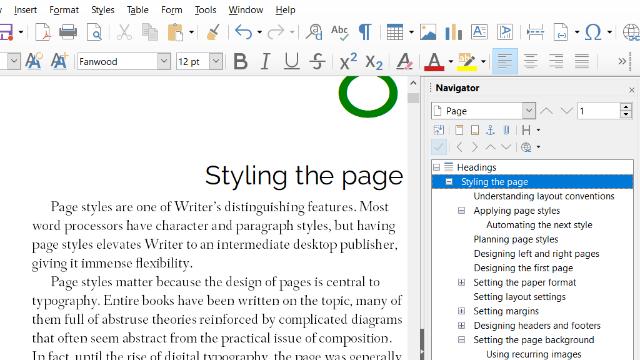
LibreOffice Writer remains one of the most used modules of the suite. It is used to write letters, reports, articles, books, theses, practical sheets, or administrative documents.
With LibreOffice 26.2, Writer benefits from an interesting enhancement: support for Markdown import and export. This feature can assist content creators, web writers, and users working with structured texts.
Markdown allows you to write a document using simple syntax. For example, you can create headings, lists, or links without using a complex interface. Then, you can convert this content to other formats.
This new feature does not replace Writer's classic functions. Instead, it adds a useful option for certain use cases. Thus, a user can write an article in Writer and then more easily export it to a web environment.
Writer is also useful for long documents. It allows management of styles, headings, tables of contents, footnotes, and layout. These features help produce clean documents without depending on a subscription.
For the general public, the main benefit is clear. Writer allows you to create serious documents with free and open-source software. It is suitable for individuals, students, associations, and small organizations.
LibreOffice Calc: Spreadsheets, Data, and Charts
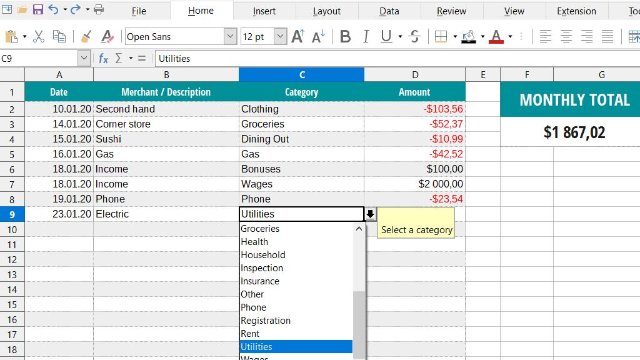
LibreOffice Calc is used to create spreadsheets, track budgets, analyze data, or prepare calculations. It is the free alternative to Microsoft Office's spreadsheet application.
LibreOffice 26.2 has added useful improvements in Calc, including connector shapes. This feature can help create diagrams, processes, or more visual tables directly within the spreadsheet application.
Calc remains practical for simple needs. You can track your expenses, prepare a schedule, create a dashboard, or calculate totals. You can also use formulas, filters, charts, and multiple sheets.
For many users, Calc is more than sufficient for daily tasks. It allows you to open and modify spreadsheets in various formats. This facilitates exchanges with others, even if they use a different office suite.
However, caution should be exercised in complex environments. If you work with highly advanced files, specific macros, or enterprise automations, always test your documents before a complete migration.
This precaution avoids unpleasant surprises. It also helps to verify the functions used by your organization.
Significant New Features in LibreOffice 26.2
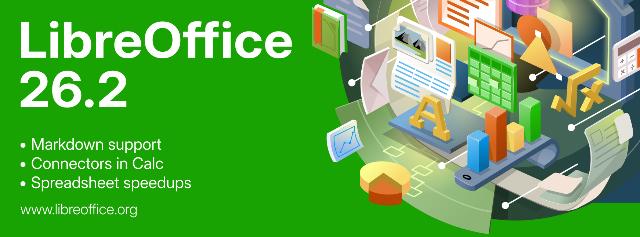
LibreOffice 26.2 brought several enhancements before corrective updates like LibreOffice 26.2.4. This branch is therefore not limited to fixes.
Among the notable developments, The Document Foundation highlights Markdown import and export, connectors in Calc, improvements in Base for multi-user usage, faster EPUB export, and the mandatory Skia rendering on macOS and Windows.
These changes target practical uses. Markdown assists writers. Connectors in Calc help better present certain data. Faster EPUB export interests those producing e-books.
Skia rendering, for its part, relates to graphic performance. It can improve display on macOS and Windows due to more modern graphic management.
Base also benefits from significant developments for certain usages. This module is used to manage databases, making it relevant for users creating simple internal tools, catalogs, or contact lists.
Here are the new features to remember:
- Markdown import and export to facilitate certain writing workflows.
- Connector shapes in Calc to enhance diagrams.
- Improvements in Base in a multi-user context.
- Faster EPUB export for e-books.
- Mandatory Skia rendering on macOS and Windows.
LibreOffice 26.2.4 consolidates these advancements. It brings fixes, making the experience more reliable.
LibreOffice for Windows, macOS, and Linux
LibreOffice remains available on the three major desktop environments: Windows, macOS, and Linux. This compatibility is one of its strengths.
A user can start on Windows and then find their documents on Linux. Another can use LibreOffice on macOS without changing their work habits. This makes the suite useful in various contexts.
For individuals, this freedom reduces dependence on a system or subscription. For associations, it limits costs. For small businesses, it can provide a simple solution to equip multiple workstations.
The official download allows you to choose the suitable version. On Linux, some distributions also offer LibreOffice in their repositories. However, the version available may vary depending on the distribution and its update pace.
If you want the most recent version published by The Document Foundation, refer to the official page. If you prefer a version managed by your Linux distribution, use your usual package manager.
In either case, back up your important documents before a major update. This habit applies to all office software.
Should You Install LibreOffice 26.2.4 Right Away?
In most cases, yes. LibreOffice 26.2.4 fixes bugs and improves stability for the 26.2 branch. Thus, it makes sense for users who have already transitioned to LibreOffice 26.2.
It becomes even more important for users of LibreOffice 25.8.x. This branch reaches its end of life on June 12, 2026. After this date, it will no longer receive security updates.
However, businesses and organizations with very specific documents must test the update. This is a simple, yet useful rule. It particularly concerns files with macros, complex templates, or internal integrations.
For personal, student, or associative use, installing LibreOffice 26.2.4 remains a wise decision. It allows you to benefit from recent enhancements and a more current foundation.
Before starting the download, take a few minutes to assess your needs. Then, install LibreOffice from the official page. This way, you avoid modified versions and dubious sources.
FAQ about LibreOffice 26.2.4
Is LibreOffice 26.2.4 free?
Yes, LibreOffice is a free and open-source office suite. You can download it from the official site and use it without a subscription.
Where to download LibreOffice?
You should prefer the official page libreoffice.org/download/. It offers LibreOffice for Windows, macOS, and Linux.
Can LibreOffice Writer replace Microsoft Word?
Writer can replace Word for many common uses. It allows writing, formatting, and exporting documents. However, test highly complex files before a complete migration.
Can LibreOffice Calc open Excel files?
Calc can open many spreadsheet files, including those from Excel. However, some files with macros or advanced functions may require verification.
Why switch from LibreOffice 25.8.x?
The LibreOffice 25.8.x branch reaches its end of life on June 12, 2026. After this date, it will no longer receive security updates. Therefore, it is better to move to a more recent version.
Conclusion: LibreOffice 26.2.4 Strengthens an Already Solid Suite
LibreOffice 26.2.4 is not a revolution. It is a maintenance update. Nevertheless, it plays an important role as it improves the stability of LibreOffice 26.2.
It consolidates the new features already introduced in the 26.2 branch, such as Markdown support, connectors in Calc, faster EPUB export, and improvements in Base. It also arrives at the right time for users of LibreOffice 25.8.x, as this branch reaches its end of life on June 12, 2026.
If you use Writer to draft your documents or Calc to manage your spreadsheets, this update deserves your attention. It allows you to work with a more recent, more stable, and still free version.
LibreOffice users, advocates of free software, and community members can support The Document Foundation and the LibreOffice project by donating at www.libreoffice.org/donate.
To avoid unpleasant surprises, download LibreOffice from the official site. Then, install the version suited to your system. This way, you will enjoy a free, comprehensive, and regularly maintained office suite.

