Introduction to LibreOffice Online 2024
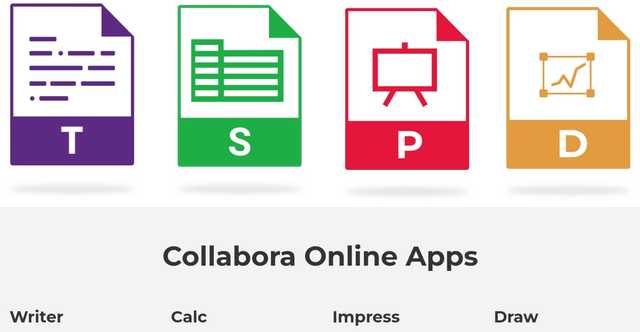
LibreOffice Online 2024 is an adaptation of the popular open-source office suite LibreOffice, designed to be used via a web browser. It allows users to access word processing, spreadsheet, presentation applications, and more, directly from their browser, requiring installation on their own server infrastructure. Here are the new features and improvements that LibreOffice Online offers in 2024 for those looking to install or update this office suite on their servers.
This browser-based version is intended for organizations and users who want to manage documents online while keeping control over hosting. It combines familiar office tools with server-based access, storage integration, collaboration features, and administrative controls.
Installation and Setup
Server Installation
LibreOffice Online requires installation on a personal or corporate server to be accessible. The installation processes have been simplified through improved installation scripts and Docker containers, which automate several of the necessary setup steps.
This server-based approach means that access to LibreOffice Online depends on the infrastructure chosen by the user or organization. Installation scripts and Docker containers help administrators prepare the environment, deploy the service, and reduce repetitive configuration tasks.
- Installation takes place on a personal or corporate server.
- Improved installation scripts help automate setup steps.
- Docker containers simplify deployment and maintenance tasks.
- Users access the office suite through a web browser once the server is available.
Integration with Storage Services
Once installed, LibreOffice Online can be integrated with local or cloud storage solutions. This allows for flexible document management and the ability to work with files stored on corporate networks or public cloud services like Nextcloud, ownCloud, or Seafile.
This integration is useful when documents are already organized in a company network or in an existing cloud storage platform. Users can open and edit files from these storage services while keeping their usual document workflows.
New Functionalities
Enhanced Features
LibreOffice Online has introduced several new features to improve user experience and document compatibility. Users benefit from advanced editing tools, more robust real-time collaboration functions, and better support for file formats.
These enhanced features help users work with office documents directly in the browser. Advanced editing tools support everyday document creation and revision. Real-time collaboration functions make it possible for several users to work on the same document, while improved file format support helps maintain document compatibility during online editing.
Improved User Interface
The user interface of LibreOffice Online has been redesigned to provide a smoother and more intuitive experience, making the tool more accessible across various devices, including tablets and smartphones.
A smoother user interface helps users find editing tools more easily. Accessibility across tablets and smartphones also supports mobile use when users need to consult or edit documents away from a desktop computer.
| Area | LibreOffice Online 2024 improvement mentioned | Practical use |
|---|---|---|
| Installation | Improved installation scripts and Docker containers | Helps administrators deploy the platform on server infrastructure |
| Storage | Integration with local or cloud storage solutions | Allows users to work with documents stored on corporate networks, Nextcloud, ownCloud, or Seafile |
| Editing | Advanced editing tools and better file format support | Supports document creation, editing, and compatibility in the browser |
| Collaboration | More robust real-time collaboration functions | Allows several users to work together on documents |
| Interface | Redesigned user interface | Improves use across devices, including tablets and smartphones |
| Security | New security policies and encryption for data in transit and at rest | Helps protect documents and communications on the platform |
Security and Compliance
Enhanced Security
The updates include significant improvements in security, with new security policies and encryption for data both in transit and at rest.
Security is especially important for an online office suite because documents are accessed through a browser and stored on connected infrastructure. Encryption for data in transit helps protect information while it moves between users and the server. Encryption for data at rest helps protect stored information.
Compliance and Privacy
With increasing global regulatory requirements, LibreOffice Online has enhanced its features to ensure compliance with standards such as GDPR, providing administrators with better tools to manage data privacy.
For administrators, privacy management tools are important when deploying LibreOffice Online in an organization. They help manage document access, privacy requirements, and compliance needs within the chosen server environment.
Support and Documentation
Rich Documentation
The documentation for LibreOffice Online has been significantly enriched, offering detailed guides for installation, configuration, and maintenance, thereby helping administrators manage the platform more effectively.
Clear documentation supports each stage of deployment. Installation guides help with the first setup, configuration guides help adapt the service to the chosen environment, and maintenance documentation helps administrators keep the platform running correctly.
Community and Support
The LibreOffice project benefits from the support of an active community that continues to contribute to its development. Users and administrators can seek help and share knowledge through forums, webinars, and meetups.
This community support can be useful for both technical and practical questions. Administrators may look for deployment advice, while users may exchange tips about online editing, collaboration, and everyday use of the office suite.
FAQ about LibreOffice Online 2024
What is LibreOffice Online 2024?
LibreOffice Online 2024 is a browser-based adaptation of the open-source LibreOffice office suite. It allows users to access word processing, spreadsheet, presentation applications, and more through a web browser, after installation on a personal or corporate server.
Does LibreOffice Online require a server installation?
Yes. LibreOffice Online requires installation on a personal or corporate server. The article mentions improved installation scripts and Docker containers that automate several setup steps.
Can LibreOffice Online work with cloud storage?
Yes. LibreOffice Online can be integrated with local or cloud storage solutions, including corporate networks and public cloud services such as Nextcloud, ownCloud, or Seafile.
What collaboration features are mentioned for LibreOffice Online 2024?
The article mentions more robust real-time collaboration functions. These features help several users work together on documents through the browser.
What security improvements are included?
The updates include new security policies and encryption for data both in transit and at rest. The article also mentions enhanced features to support compliance with standards such as GDPR.
Conclusion
LibreOffice Online in 2024 offers a powerful solution for businesses and users looking for an office suite accessible via a browser, while requiring installation on their own infrastructure. With ongoing improvements in functionality, security, and accessibility, LibreOffice Online is well-positioned as a viable alternative to commercial office suites, with the additional benefit of flexibility and control over data hosting.
For organizations that need browser-based document editing, LibreOffice Online 2024 brings together server installation, storage integration, real-time collaboration, an improved user interface, security updates, GDPR-related privacy tools, and enriched documentation.
Download the desktop version of LibreOffice

