Welcome to LibreOffice Guide 11/27/2026 10:02pm

LibreOffice News: Releases, Updates and New Features

Create a Professional Invoice with LibreOffice Writer

  • 04/16/2026 02:24am

Create a Professional Invoice with LibreOffice Writer: Step-by-Step Guide

Tutorial: Generate a Professional Invoice with LibreOffice Writer

Creating a professional invoice with LibreOffice Writer is essential for any business, regardless of its size. LibreOffice Writer, with its extensive features, allows you to design clear and customized invoices. In this article, we will guide you step by step to generate a professional invoice with LibreOffice Writer while integrating relevant keywords for SEO.

This guide explains how to prepare the page, add your company and client information, structure billed items in a table, include totals, and export the final invoice as a PDF. The goal is to create a readable document that is easy to send, easy to review, and simple to reuse for future invoices.


Top 10 Calc Tutorials for SMEs to Boost Productivity

  • 04/14/2026 07:31am

Top 10 Calc tutorials for SMEs: Boost your productivity!

Top 10 Useful Calc Tutorials for SMEs: Boost Your Productivity!

Calc tutorials for SMEs help small and medium-sized enterprises improve productivity with a free spreadsheet tool included in LibreOffice. Small and medium-sized enterprises (SMEs) are constantly looking for ways to improve their efficiency. Utilizing optimized office tools like Calc can make a significant difference. This article presents the top ten Calc tutorials tailored to the needs of SMEs, aimed at maximizing their potential and productivity.

These tutorials focus on practical business needs: calculations, data lists, charts, reports, automation, collaboration and document security. They are designed to help users understand the main features of Calc and apply them to everyday business management tasks.

LibreOffice 26.2 Guides for Calc and Writer Features

  • 04/09/2026 02:08am

Guides LibreOffice 26.2

Introducing LibreOffice Guides 26.2

The LibreOffice 26.2 guides are now available. You can finally access two comprehensive resources to better use Calc and Writer. These documents cater to all user profiles, as they cover both the basics and advanced usage.

These guides help you understand the main features of the spreadsheet application Calc and the word processor Writer. They are useful when you want to learn step by step, check a specific function, or improve the way you create documents and spreadsheets.

What You'll Find in These Guides

In this article, I will explain what these guides contain, the important new features, and how to use them to improve your skills quickly.

You will also find practical information about the subjects covered in the Calc 26.2 guide and the Writer 26.2 guide, including formatting, data management, charts, styles, templates, PDF export, and document structure.

Create a Business Plan with LibreOffice Calc

  • 03/30/2026 06:31pm

Create a Business Plan with LibreOffice Calc: Complete Guide

How to Create a Business Plan in LibreOffice Calc: Detailed Guide

Creating a business plan with LibreOffice Calc is a practical way to organize your goals, marketing strategies, and financial projections in one clear spreadsheet. This strategic document helps define goals, marketing strategies, and financial projections. To achieve this, you can use various software, including LibreOffice Calc, which is free and offers powerful features. This guide will explain how to effectively and efficiently create a business plan in LibreOffice Calc.

LibreOffice Calc can help you structure information, enter financial data, create formulas, and visualize results with charts. With a clear layout, your business plan becomes easier to read, update, and present.

LibreOffice vs Cloud: Cost Reduction Guide

  • 03/27/2026 03:20am

LibreOffice vs Cloud: Which Choice to Reduce Costs?

LibreOffice or Cloud Solutions: Which Choice for Cost Reduction?

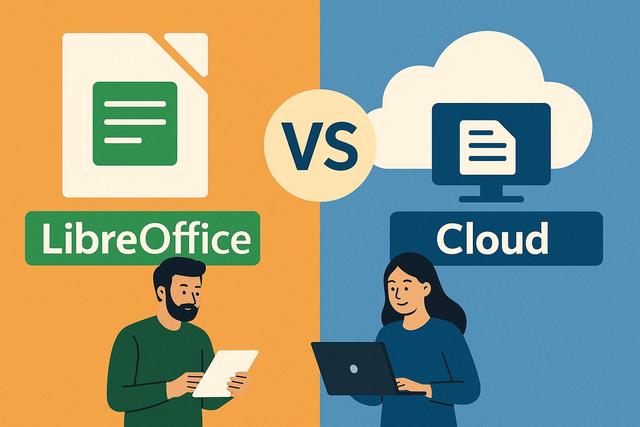
In a context where businesses are constantly looking to optimize their expenses, the choice of office tools becomes crucial. Between LibreOffice, the open-source suite, and cloud solutions like Google Workspace or Microsoft 365, which option should be prioritized to reduce costs while maintaining optimal productivity?

This comparison helps clarify the main differences between LibreOffice and cloud solutions for cost reduction. It focuses on the elements already central to this choice: price, productivity, collaboration, compatibility, accessibility and data control.