Welcome to Download LibreOffice 09/16/2026 07:17am

Libreoffice

LibreOffice 25.8.4: Stable Update for Work

Download LibreOffice 25.8.4

Significant Update for Everyday Users

LibreOffice 25.8.4 marks an important milestone for all users of LibreOffice in their daily workflows, as this version brings stability, targeted fixes, and enhanced compatibility. This fourth minor update in the 25.8 branch arrives at a critical time: LibreOffice 25.2 has reached its end of life, while LibreOffice 26.2 is on the horizon. In other words, LibreOffice 25.8.4 stands out as a reliable version for production environments, whether you are working on Windows, macOS, or Linux.

Enhancements and Improvements

Developed by volunteers within The Document Foundation, this version continues to improve the performance, reliability, and interoperability of the world’s most widely used free office suite. Over 70 fixes refine the user experience while securing demanding professional use cases.

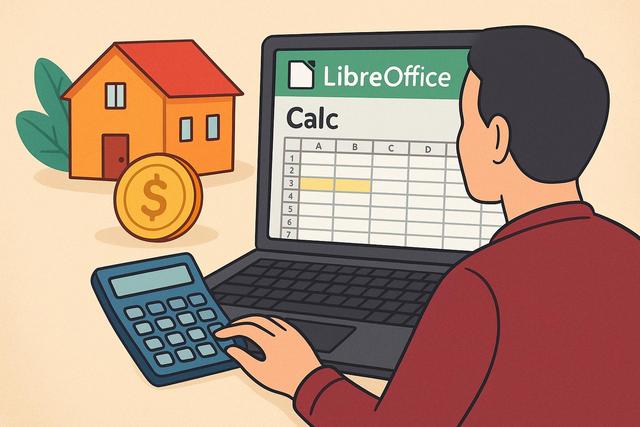
LibreOffice vs Excel for Financial Management

LibreOffice vs Excel: Which tool for financial management?

LibreOffice vs Excel: Which tool for financial management?

LibreOffice vs Excel is a common question for anyone who needs a spreadsheet tool for financial management. Financial management is a crucial task in today’s business world, whether for small enterprises or large corporations. To ensure effective and accurate management of financial data, businesses often turn to spreadsheet tools like LibreOffice Calc and Microsoft Excel. But which of these tools is better suited for your financial needs? This article aims to explore the features, advantages, and disadvantages of LibreOffice and Excel to help you make an informed choice.

Both tools can help users organize budgets, create calculations, analyze figures, and present financial data. The best choice depends on practical criteria such as cost, compatibility, collaboration, support, performance, and security.

Real Estate Cash Flow Simulation in LibreOffice Calc

Simulating real estate cash flow with LibreOffice Calc

Simulating Real Estate Cash Flow in LibreOffice Calc: Step-by-Step Guide

Simulating real estate cash flow in LibreOffice Calc is a practical way to organize rental income, property expenses, mortgage payments, and scenario analysis in one spreadsheet. LibreOffice Calc, a free alternative to Microsoft Excel, provides you with a powerful platform to articulate your financial analyses. In this article, we will explore how to simulate real estate cash flow in LibreOffice Calc, step by step, to help you make informed decisions.

This guide focuses on a simple model that can be adapted to different properties. You will use clear columns, basic formulas, scenarios, and charts to compare results and keep your cash flow analysis easy to read.

ODF Format, Digital Sovereignty and ODF News

ODF Format

The Importance of ODF Format

The ODF format has become a central issue for digital sovereignty and document protection. As we approach its 20th anniversary, an editorial initiative named ODF News is set to launch, putting this open standard back at the heart of the debate.

ODF concerns anyone who creates, edits, stores, or shares office documents. It affects how files remain accessible over time, how users keep control of their data, and how software can exchange documents without depending on a single publisher.

Understanding File Formats

For several years, file formats have seemingly been a secondary topic for the general public. However, they directly impact document management, data longevity, and user freedom. Due to this often-overlooked reality, the Open Document Format, widely known as ODF, deserves special attention.

A file format is not only a technical container. It defines how text, spreadsheets, presentations, and drawings are saved and reopened. When the format is open and documented, users have a clearer path to long-term access and software interoperability.

Key Issues and Upcoming Launch

This article will outline the challenges surrounding the ODF format, explain why it remains essential today, and announce the upcoming launch of the ODF News site, dedicated to defending and understanding this open standard.

LibreOffice 26.2 Release Schedule and Key Dates

LibreOffice 26.2

Introduction to LibreOffice 26.2 Release Schedule

The LibreOffice 26.2 release schedule is now well established. As of December 15, 2025, several key milestones have already been reached, while others are approaching rapidly. Understanding this timeline helps the community to better prepare, whether you are a casual user, translator, tester, or technical contributor.

This schedule brings together the main steps of the LibreOffice 26.2 cycle: Alpha1, Beta1, release candidates, final release, maintenance updates, and end of life. It also explains what each phase means in practical terms for users and contributors.

Phases of Development

LibreOffice 26.2 is part of a long and structured cycle. Each phase has a specific role, aiming to stabilize the code, finalize the interface, fix bugs, and improve translations. This article offers a clear and chronological reading of the upcoming key moments, focusing on what truly matters today.

The cycle is organized so that changes become more limited over time. Early phases allow broader testing and feature validation. Later phases focus on stability, translations, documentation, and final corrections before publication.