Welcome to Download LibreOffice 09/16/2026 08:51am

Libreoffice

LibreOffice Calc: Free Excel Alternative

LibreOffice Calc

Introduction to LibreOffice Calc

LibreOffice Calc is a free spreadsheet software and one of the best alternatives to Microsoft Excel. It lets you open, edit, and create XLSX spreadsheets on Windows, Mac, and Linux without paying for Microsoft Office.

You can use Calc for budgets, reports, charts, formulas, business tracking, or personal finance while keeping full control over your files and privacy.

LibreOffice Calc is included in the LibreOffice suite. It is designed for everyday spreadsheet work, from simple tables to more advanced data analysis with formulas, filters, charts, and pivot tables.

LibreOffice Calc and Excel Compatibility

  • Open .xlsx Excel files
  • Edit .xls spreadsheets
  • Create Excel-compatible documents
  • No Microsoft 365 subscription required
  • Works offline

Real Estate Depreciation in LibreOffice Calc

Calculate Real Estate Depreciation with LibreOffice Calc

Calculate Real Estate Depreciation in LibreOffice Calc: Step-by-Step Guide

Real estate depreciation in LibreOffice Calc helps property owners organize acquisition cost, useful life, depreciation rate, annual depreciation and net value in a clear spreadsheet. Real estate depreciation is an accounting technique that allows property owners to spread the acquisition cost of their asset over its useful life. Calculating this depreciation in software like LibreOffice Calc can be complex without proper guidance. This guide will walk you through the process of using LibreOffice Calc to effectively compute this depreciation.

With Calc, you can enter the basic data once, apply formulas, copy them down the spreadsheet and review the results year by year. This makes the calculation easier to follow and helps keep financial statements consistent.

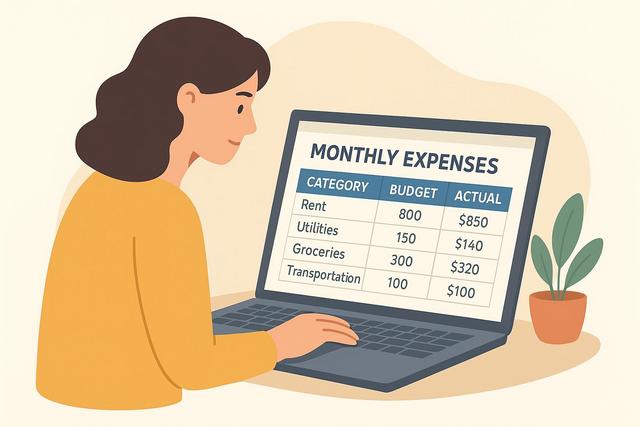
Monthly Expense Management Spreadsheet in Calc

Create a Monthly Expense Management Table in Calc

Create a Monthly Expense Management Table in Calc

Managing personal finances can be a challenge. For some, tracking expenses is a daunting task. However, a monthly expense management spreadsheet in Calc can greatly simplify budget management. In this article, you will learn how to create an effective monthly expense management table using Calc, a free and open-source software included in LibreOffice.

This tutorial explains how to structure your spreadsheet, enter expenses, calculate totals and analyze your spending by category. The goal is to build a simple table that helps you follow fixed expenses, variable expenses and monthly cash outflows in one place.

Track Stock Investments with LibreOffice Calc

Track Your Stock Investments with LibreOffice Calc

Track Your Stock Investments with LibreOffice Calc: Step-by-Step Guide

Track your stock investments with LibreOffice Calc by creating a clear spreadsheet for prices, shares, dividends, total value and total return. Investing in stocks may seem complex, but with powerful free tools like LibreOffice Calc, you can effectively track your investments. In this article, we will delve into a detailed guide to help you monitor your stock investments using LibreOffice Calc. You'll learn not only how to create a tracking spreadsheet but also how to analyze your financial performance. Discover below our step-by-step tips to optimize your portfolio management with LibreOffice Calc.

LibreOffice 25.2.7: Final Update Before 25.8

Download LibreOffice 25.2.7

A New Milestone for LibreOffice 25.2

On October 30, 2025, The Document Foundation (TDF) announced the release of LibreOffice 25.2.7, the latest maintenance update in the 25.2 branch. This version marks the end of the support cycle for this series and prepares the transition to LibreOffice 25.8, which is already recommended for all users.

Available now on the official site libreoffice.org/download, this update solidifies the software’s stability before ushering in the next generation of the free office suite.

LibreOffice 25.2.7 is aimed at users who still rely on the 25.2.x series and want the latest maintenance fixes available for this branch. It concerns everyday office work, including documents, spreadsheets and presentations handled with the LibreOffice office suite.