
Welcome to Download LibreOffice 09/16/2026 04:19pm

Libreoffice

LibreOffice Documentation: Guides, Help and ScriptForge

LibreOffice Documentation: Updated Guides, Enhanced Support, and a Revolutionary Macro Library!

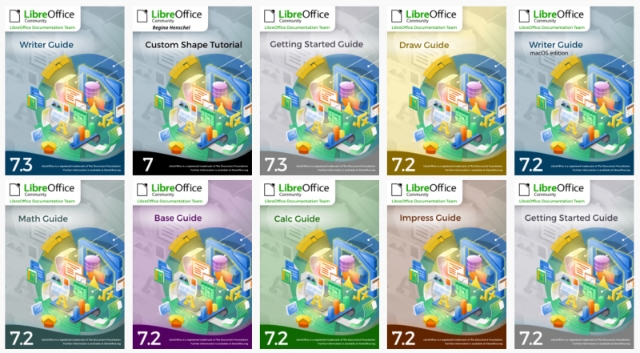
In 2022, the LibreOffice documentation community continued to update the guides and help application for LibreOffice.

Throughout the year, the documentation project bridged the gap between major releases of LibreOffice and updates to the corresponding guides. By the end of the year, all guides for version 7 had been updated to align with LibreOffice version 7.4, and they are ready for the next release, version 7.5.

These updates help users find clearer information about LibreOffice features, guides, Help content and the ScriptForge macro library. They also make the documentation easier to use for online reading, offline reading and everyday support needs.

LibreOffice 7.3 and 7.4: UI and Calc Features

LibreOffice Unveils Latest Innovations: Explore New Features and Enhanced Interface Design

Enhancing User Experience with LibreOffice

LibreOffice, the open-source office suite, focuses on enhancing user experience (UX) and user interface (UI). The LibreOffice design community has been actively working to introduce new features and improve the visual appeal of the application.

This article highlights the LibreOffice 7.3 and LibreOffice 7.4 improvements already presented here, including changes to interface design, Calc features, visual indicators, sorting access, the font dialog and the Colibre icon theme.

Download LibreOffice 7.4.7 Community

Download the Latest Version of LibreOffice 7.4.7 Community and Take Control of Your Documents!

Announcement of LibreOffice 7.4.7 Community Release

LibreOffice 7.4.7 Community is available for users who want to download this free office suite for Windows, macOS, and Linux. The Document Foundation announces the release of LibreOffice 7.4.7 Community, the seventh and final minor version of the 7.4 line of LibreOffice, which is approaching the end of its life cycle. This new version is available for download for Windows, macOS, and Linux operating systems.

This release is aimed at users who need an office suite for creating, opening, editing, and managing documents while keeping control over their files. The article below summarizes the availability, compatibility, support options, and business-oriented information already associated with LibreOffice 7.4.7 Community.

Compatibility of LibreOffice

LibreOffice stands out for its high level of compatibility in the office suite domain. It offers native support for the OpenDocument (ODF) format, which ensures better security and robustness compared to proprietary formats. Additionally, it provides excellent compatibility with MS Office files and supports many legacy document formats, allowing users to maintain ownership and control over their documents.

In practical use, this compatibility helps users work with different types of office documents. OpenDocument (ODF) can be used as the native format, while MS Office file compatibility makes it possible to exchange documents with users of other office suites. Support for legacy document formats also helps when opening older files that may still be needed for personal, academic, or professional work.
LibreOffice 7.5.3 Community Free Office Suite

LibreOffice 7.5.3 Community is the third minor update of the 7.5 version of LibreOffice. The Document Foundation has announced the release of this free office suite, developed by volunteers, now available for download for Windows, macOS, and Linux operating systems.

LibreOffice 7.5.3 Community: The Latest Version of the Free Office Suite

New Features and Enhancements

LibreOffice 7.5 brings new features and improvements, which are detailed in the Release Notes. This version specifically aims to enhance compatibility with MS Office, allowing users to easily share documents or migrate from MS Office. Users are encouraged to regularly update their version of LibreOffice, as each new release provides significant improvements over the previous one.

As a free office suite, LibreOffice is designed for common office tasks such as creating text documents, working with spreadsheets, preparing presentations, and exchanging files with other office software. In LibreOffice 7.5.3 Community, the improvements mentioned for the 7.5 series are especially useful for users who need to open, edit, save, or share documents in environments where MS Office formats are also used.

LibreOffice 2022 Annual Report: 7.3, 7.4 Updates

The LibreOffice 2022 Annual Report highlights the key events, software updates and community contributions of LibreOffice during 2022. On April 19, 2023, Mike Saunders published an article summarizing the main events of the year. This year was particularly significant as it marked the twelfth anniversary of LibreOffice. Two major new versions were introduced, each bringing a host of new features, while several minor versions contributed to enhancing the stability and performance of the office suite.

On February 2, 2022, LibreOffice 7.3 was officially launched after six months of intensive development. Developers from Collabora, allotropia, CIB, Red Hat, NISZ, The Document Foundation, along with numerous volunteers, collaborated to integrate many new features. Notable improvements include better change tracking, support for color filters in Calc, and enhanced compatibility with PowerPoint screen sizes in Impress. Additionally, this version benefited from numerous optimizations in terms of performance, compatibility, and stability.
