LibreOffice vs Excel for Insurance Management
- 03/06/2026 06:31am
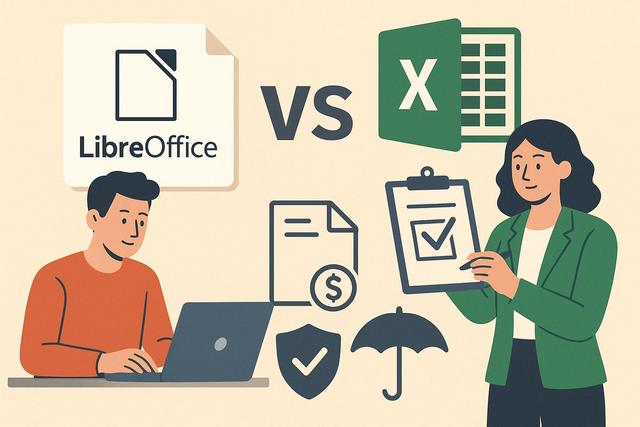
LibreOffice vs Excel: Which is the Best Tool for Insurance Management?
LibreOffice vs Excel for insurance management is a common question for professionals who need to organize, analyze, and process important business data. In the insurance industry, effective data management is crucial. Professionals in this field often use spreadsheets to analyze, organize, and process large amounts of information. Among the most popular solutions are LibreOffice Calc and Microsoft Excel. This comparison highlights the advantages and disadvantages of each tool within the specific context of insurance management.
Both spreadsheet tools can support everyday insurance tasks, such as maintaining client lists, following claims, preparing reports, and working with structured data. The best choice depends on cost, compatibility, ease of use, data processing needs, and the level of support expected by each organization.
LibreOffice: An Accessible Open-Source Solution
LibreOffice is an open-source office suite that includes a spreadsheet known as Calc. This software is appreciated for its cost-effectiveness and accessibility. For small insurance companies or freelancers, these characteristics can be decisive.
LibreOffice Calc can be used to create tables, calculate values, sort information, and manage spreadsheet files without a paid subscription. For insurance professionals who mainly need practical spreadsheet functions, this can make daily data processing easier to manage while keeping costs low.
- Cost: LibreOffice is completely free, making it particularly attractive for budget-conscious insurance companies.
- Accessibility: Its interface is simple and accessible to everyone. Even novice users can quickly grasp the features of Calc.
- Compatibility: While LibreOffice ensures compatibility with Excel files, some complex formulas may pose challenges during import.
Advantages of LibreOffice in the Insurance Sector
- Customization: Thanks to its open-source nature, LibreOffice allows users to customize certain features to better meet their specific needs.
- Active Community: An active community of users provides ongoing support and numerous add-ons designed to enhance the software's capabilities.
- Lightweight: Compared to Microsoft Excel, Calc is lighter and consumes fewer computer resources, making it well-suited for less powerful computers.
In practical terms, LibreOffice Calc may be useful for smaller insurance teams that need to prepare simple reports, organize policy-related information, or maintain internal tracking sheets. Its simple interface can help users focus on essential spreadsheet tasks without requiring a complex setup.
Disadvantages of LibreOffice for Insurers
- Limitation of Advanced Features: While Calc offers many useful features, it may lack some advanced capabilities found in Excel.
- Compatibility Issues: It imports and exports certain Excel-specific formats less efficiently, which can lead to data loss.
Compatibility is an important point when files are exchanged with partners, clients, or departments that use Microsoft Excel. If a spreadsheet contains complex formulas or Excel-specific formatting, the file should be checked carefully after import or export.
Microsoft Excel: The Proven Leader in Spreadsheets
Microsoft Excel is often regarded as the benchmark for spreadsheets. Used by a vast majority of professionals, Excel offers a multitude of advanced features tailored for managing complex data, making it a valuable tool in the insurance sector.
For insurance management, Excel can be used for detailed data analysis, reporting, modeling, and visual presentation of information. Its broad use in professional environments also makes it easier to share files with teams that already work within the Microsoft ecosystem.
- Advanced Features: Excel is renowned for its advanced features such as pivot tables, sophisticated charts, and modeling capabilities.
- Easy Integration: Excel easily integrates with other Microsoft software, facilitating project management and communication among different teams.
- Regular Updates: Microsoft regularly provides updates and improvements, keeping Excel at the forefront of technology.
Advantages of Excel for Insurance Professionals
- Robustness: Excel can handle enormous volumes of complex data, essential for large insurance companies.
- Advanced Analysis and Visualization Tools: These tools enable more informed decision-making.
- Training and Support: A wide variety of training resources and support is available to help users maximize the software's potential.
Excel is especially suitable when insurance teams need advanced analysis and visualization tools. Pivot tables, charts, and modeling capabilities can help transform raw spreadsheet data into clearer reports for operational follow-up and decision-making.
Limitations of Excel in the Insurance Context
- Cost: The main drawback of Excel is its cost, which can be prohibitive for small organizations.
- Complexity: The richness of Excel's features can sometimes overwhelm new users, necessitating additional training.
For smaller companies or independent professionals, the cost of Excel and the time needed to master its advanced features may be important considerations. If the required tasks remain simple, a lighter and free solution may be enough.
Comparison of Essential Features
To assist insurance professionals in making the right choice, here is a comparative table of essential features between LibreOffice Calc and Microsoft Excel:
| Feature | LibreOffice Calc | Microsoft Excel |
|---|---|---|
| Cost | Free | Subscription/paid |
| Compatibility | Good, but imperfect | Excellent |
| User Interface | Simple and clean | Complex and heavy |
| Data Processing Capabilities | Basic to moderate | Advanced |
| Software Integration | Limited | High |
| Community and Support | Open-source community | Official support and training |
This comparison shows that LibreOffice Calc and Microsoft Excel do not target the same priorities in exactly the same way. Calc emphasizes free access, simplicity, and lower resource use. Excel emphasizes advanced spreadsheet features, stronger integration with Microsoft software, and broader official support and training.
Key Criteria for Insurance Management
Before choosing between LibreOffice Calc and Microsoft Excel, insurance professionals can review a few practical criteria. These criteria are directly linked to the spreadsheet uses mentioned above.
- Budget: LibreOffice is completely free, while Excel is subscription-based or paid.
- File exchange: Excel offers excellent compatibility, while LibreOffice has good but imperfect compatibility with Excel files.
- Data complexity: Excel is better suited to advanced data processing and complex analysis.
- Ease of use: LibreOffice Calc has a simple and clean interface, which can help novice users.
- Support needs: LibreOffice relies on an open-source community, while Excel offers official support and many training resources.
These points can help teams match the spreadsheet tool to their daily workflow. A freelancer may focus on cost and simplicity, while a larger insurance company may prioritize performance, integration, and advanced analysis.
FAQ
Is LibreOffice Calc suitable for insurance management?
Yes. LibreOffice Calc can be suitable for insurance management when the main needs are organizing data, creating simple spreadsheets, and keeping costs low. It is especially relevant for small insurance companies or freelancers.
Is Microsoft Excel better for complex insurance data?
Microsoft Excel is better suited to advanced data processing, large volumes of complex data, pivot tables, sophisticated charts, and modeling capabilities. These features can be useful for large insurance companies.
Can LibreOffice open Excel files?
LibreOffice ensures compatibility with Excel files, but some complex formulas or Excel-specific formats may create issues during import or export. It is recommended to check important files after conversion.
Which tool is more cost-effective for small insurance companies?
LibreOffice is completely free, making it a cost-effective solution for small insurance companies and budget-conscious professionals. Excel may be more expensive because it is subscription-based or paid.
Which spreadsheet tool is easier for beginners?
LibreOffice Calc has a simple and clean interface that can be easier for novice users. Excel offers more advanced features, but this richness can require additional training.
Conclusion: Which Tool to Choose for Insurance Management?
The choice between LibreOffice Calc and Microsoft Excel primarily depends on the needs and resources of each insurance company. Small organizations and freelancers will likely find satisfaction with LibreOffice due to its zero cost and simplicity. On the other hand, large insurance firms that require advanced data processing capabilities and extensive integration will find Excel a valuable ally.
It is also important to consider the familiarity of teams with each software, as well as the budget allocated for management tools. Ultimately, each company must evaluate its priorities to choose the tool that best meets its specific needs in insurance management.
For simple spreadsheet work, LibreOffice Calc offers a free and accessible option. For more advanced analysis, visualization, and integration, Microsoft Excel remains a strong choice. The right solution is the one that fits the company’s data volume, budget, and daily insurance management tasks.
Download the latest version of LibreOffice

