
Mastering LibreOffice 2025: Reports & Presentations
- 02/18/2025 06:39pm
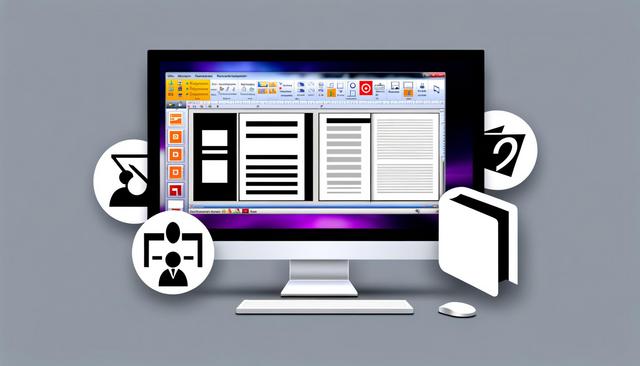
Mastering LibreOffice for Professional Reports and Presentations
LibreOffice 2025 is a powerful open-source office suite, ideal for preparing professional reports and presentations. This alternative to Microsoft Office offers robust, free, and user-friendly tools to meet your professional needs. In this article, we will explore how to effectively use LibreOffice to create high-quality documents.
With Writer, Calc, and Impress, LibreOffice helps you draft structured documentation, organize data, and design clear slides. These tools support everyday professional tasks, from writing a detailed report to preparing a presentation for a meeting, a client, or a training session.
Why Choose LibreOffice for Your Professional Documents?
LibreOffice stands out for its free and comprehensive set of features. It includes applications such as Writer (for word processing), Calc (for spreadsheets), and Impress (for presentations), all optimized for creating professional content.
For professional reports and presentations, the main advantage is that the suite covers the complete document workflow. You can write text, prepare tables, build charts, and assemble slides without changing to a paid office suite.
Benefits of LibreOffice
-
Open Source and Free: Unlike other office suites, LibreOffice is completely free. This means you can download and use all its features at no cost, which is particularly advantageous for small businesses and freelancers.
-
Compatibility: LibreOffice is compatible with Microsoft Office files, allowing you to open and edit Word, Excel, and PowerPoint documents seamlessly. This compatibility facilitates sharing and collaboration with other Microsoft Office users.
-
Regular Updates: The open-source community ensures continuous updates, constantly improving security and adding new features.
These benefits make LibreOffice useful for teams that need a practical office suite for documentation, spreadsheets, presentations, and file sharing. Its compatibility with common office formats also helps when documents must be exchanged with clients, colleagues, or partners.
LibreOffice Tools for Professional Content
| LibreOffice tool | Main use mentioned | Professional example |
|---|---|---|
| Writer | Word processing | Drafting structured reports, documentation, and long documents |
| Calc | Spreadsheets, tables, and charts | Preparing data tables and visual charts for reports |
| Impress | Presentations | Creating professional slideshows with media, notes, and transitions |
Using LibreOffice Writer for Impressive Reports
LibreOffice Writer is ideal for drafting detailed and well-structured reports. Here are some tips for using it effectively.
Writer is especially helpful when a document needs a clear hierarchy. Titles, subtitles, paragraphs, tables, and charts can be organized so readers can move through the report easily. This is useful for business reports, project documentation, meeting notes, and formal written content.
Structuring Your Report with Writer
-
Use Styles and Templates: Styles in Writer maintain consistency in the appearance of your documents. Select predefined styles for titles, subtitles, and body text. This not only standardizes your document but also eases global modifications.
-
Integration of Tables and Charts: To make your report more informative, insert tables and charts from LibreOffice Calc. This integration provides instant access to visually rich data.
-
Automatic Table of Contents: For lengthy reports, an automatic table of contents can be generated, making navigation easier for your readers.
- Collaborative Tools: Use the track changes feature for collaborative work. It allows teams to track changes and comments, thus facilitating the revision process.
Using styles also makes later revisions easier. If a heading style or body text style needs to change, you can update the style instead of changing each element one by one. For long reports, this saves time and keeps the document consistent.
Tables and charts from Calc can make numerical information easier to understand. A table can summarize figures, while a chart can show a trend or comparison visually. When these elements are included in a report, readers can understand the data without searching through raw spreadsheet content.
Creating Engaging Presentations with LibreOffice Impress
LibreOffice Impress offers powerful tools to create presentations that captivate your audience.
Impress is designed for building slide-based presentations. It can be used to prepare sales presentations, training materials, project updates, course content, or internal briefings. A good presentation should be clear, visually balanced, and easy to follow.
Tips for Successful Presentations
-
Professional Templates: Start with predefined templates for a professional look. Then adapt colors and fonts to reflect your company’s identity.
-
Animations and Transitions: Use animations and transitions to add dynamism to your slideshow. Be careful not to overdo it to avoid distracting your audience.
-
Multimedia Integration: Add images, videos, and graphics to make your presentations more interactive and engaging. Impress makes it easy to incorporate various media directly into your slides.
- Presentation Tools: In presenter mode, use notes for guidance during your presentation. The integrated timer and laser pointer tools help maintain the pace and interaction with your audience.
Templates provide a starting point for a consistent slideshow. They help keep titles, text blocks, and visual elements aligned across slides. This is useful when preparing presentations that need a professional appearance without building every slide from scratch.
Presenter mode can support live delivery. Notes help the speaker remember key points without putting too much text on each slide. The timer helps control the pace, while the laser pointer can highlight a specific element during the presentation.
SEO Optimization and Sharing Your Documents
Once your reports and presentations are ready, it is crucial to optimize them for SEO if you publish them online. Here’s how:
SEO optimization is useful when documents are shared on a website or professional platform. Clear titles, relevant keywords, and accurate metadata help search engines understand the topic of the file or page where the document appears.
Keywords and Metadata
-
Inclusion of Keywords: Identify relevant keywords for your content and integrate them into titles, subtitles, and text.
-
Strong Metadata: Ensure that your documents include accurate and keyword-rich metadata. This improves their indexing by search engines.
For a professional report, keywords can describe the subject, the audience, or the business topic. For a presentation, they can reflect the main theme, the event, or the product discussed. Metadata should stay accurate and directly related to the document content.
Sharing Formats
-
Export to PDF: To ensure compatibility, export your documents as PDFs before sharing. LibreOffice makes it easy to export while maintaining the quality of your document.
-
Using Sharing Platforms: Publish your documents on professional platforms such as LinkedIn, or use your own site to increase their visibility.
Exporting to PDF is useful when the layout must stay stable for readers. It helps preserve fonts, images, tables, and page structure when the document is opened on another device. This is especially important for final reports, proposals, and slide handouts.
Practical Workflow for Reports and Presentations
A simple workflow can help you use LibreOffice 2025 more efficiently when preparing professional content:
- Plan the structure: define the main sections of the report or presentation before writing.
- Use Writer for the main document: draft text, apply styles, and add an automatic table of contents when needed.
- Use Calc for data: prepare tables and charts that support the information in the report.
- Use Impress for slides: turn the key ideas into a clear presentation with templates, media, and speaker notes.
- Check sharing settings: export to PDF when you need a stable format for distribution.
This workflow keeps each task connected to the right LibreOffice tool. Writer supports long-form writing, Calc helps organize data, and Impress turns key information into slides for an audience.
FAQ
Is LibreOffice suitable for professional reports?
Yes. LibreOffice Writer includes styles, templates, tables, charts, an automatic table of contents, and collaborative tools such as track changes. These features help create structured professional reports.
Can LibreOffice create professional presentations?
Yes. LibreOffice Impress offers templates, animations, transitions, multimedia integration, presenter mode, notes, a timer, and laser pointer tools for creating and delivering presentations.
Does LibreOffice work with Microsoft Office files?
LibreOffice is compatible with Microsoft Office files. It can open and edit Word, Excel, and PowerPoint documents, which helps with sharing and collaboration.
Can LibreOffice export documents to PDF?
Yes. LibreOffice can export documents as PDFs, helping preserve the quality and layout of reports and presentations when they are shared.
Conclusion
LibreOffice is a powerful tool for any professional looking to create quality reports and presentations without spending a dime. Its efficiency, coupled with regular updates, makes it an essential choice for budget-conscious businesses and individuals. By following our tips, you can maximize its potential and create documents that meet professional standards.
LibreOffice 2025 brings together practical tools for writing, data presentation, slide creation, and document sharing. By using Writer, Calc, and Impress together, you can prepare clear reports and presentations while keeping control over structure, layout, and final export.
Download the latest version of LibreOffice

