
Managing Condo Expenses with LibreOffice Calc
- 12/05/2025 03:31am
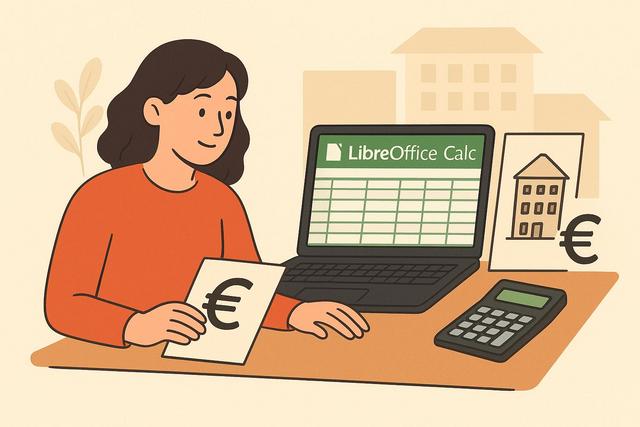
Managing Co-Ownership Expenses with LibreOffice Calc: Practical Guide
Managing condo expenses with LibreOffice Calc is a practical way to organize payments, budgets, categories and reports in a clear spreadsheet. In today's world, effectively managing the finances of a co-ownership is essential for maintaining good harmony among property owners. LibreOffice Calc proves to be a powerful tool to accomplish this task successfully. In this article, we will guide you on how to use this free software to optimize the management of your co-ownership expenses while adhering to your budget.
This guide focuses on concrete uses of Calc for co-ownership and property management: creating an expense tracking table, using formulas, analyzing costs with charts, preparing pivot tables, sharing files and protecting sensitive data.
Why choose LibreOffice Calc for property management?
LibreOffice Calc is a free and open-source spreadsheet application. Several reasons make it a wise choice for managing property expenses:
- No cost: No purchasing or subscription fees, ideal for limited budgets.
- Accessibility: Available on various platforms: Windows, macOS, and Linux.
- Advanced features: Offers complex formulas, charts, and pivot tables.
For condo management, a spreadsheet is useful because it brings together the main financial information in one place. You can record each expense, sort it by category, calculate totals and prepare a readable overview for co-owners. LibreOffice Calc also helps reduce manual work when formulas are used correctly.
Because Calc is part of LibreOffice, it can be used without buying a commercial office suite. This is helpful when a co-ownership needs a simple financial tracking tool that can be edited, saved and shared by the people responsible for the accounts.
Setting up an expense tracking table
Creating an effective tracking table
To start, it is crucial to design a clear and detailed tracking table. Here are the essential steps and columns to include:
- Date: Indicate each expense date.
- Description: Specify the reason or type of expense (e.g., maintenance, repairs).
- Amount: Enter the expense amount.
- Category: Classify the expenses for better analysis (e.g., maintenance, energy, others).
- Responsible: Note the name of the co-owner or manager who completed the transaction.
A simple table with consistent columns makes the file easier to understand. Each line should represent one expense. This avoids mixing several transactions in the same row and makes later analysis more reliable.
For better readability, keep the same format for dates and amounts throughout the document. You can also use clear category names, such as maintenance, repairs, energy or others, so that every co-owner understands how expenses are classified.
| Column | Purpose in the Calc file |
|---|---|
| Date | Shows when the expense was made. |
| Description | Explains the reason for the payment, such as maintenance or repairs. |
| Amount | Records the cost of the expense. |
| Category | Groups similar expenses for easier analysis. |
| Responsible | Identifies the co-owner or manager who completed the transaction. |
Using formulas for automated tracking
LibreOffice Calc allows the automation of certain tasks using formulas. Here are some useful formulas:
- SUM(): Calculates the total expenses for a given period.
- AVERAGE(): Evaluates the average expense by category.
- IF(): Filters expenses exceeding a predefined threshold.
These formulas help turn a basic table into a useful financial tracking file. For example, SUM() can show the total amount spent during a month or year. AVERAGE() can help compare typical costs by category. IF() can be used to flag an amount that exceeds a predefined threshold.
When formulas are used in a condo expense spreadsheet, it is important to keep the source data clean. Empty cells, inconsistent categories or incorrect amounts can affect the results. Checking the table before sharing it with co-owners improves clarity and helps avoid confusion.
Analyzing property expenses
Creating charts for better visualization
Charts facilitate the interpretation of data. With LibreOffice Calc, create charts such as pie charts to illustrate the distribution of expenses by category. This will help co-owners visualize where their money is primarily spent.
A chart is especially useful during meetings because it presents financial information in a visual way. Instead of reading every line in the spreadsheet, co-owners can quickly see the share of maintenance, repairs, energy and other expenses.
To keep charts easy to read, use clear labels and avoid too many categories in the same chart. If the table contains many entries, it can be useful to create one chart per period or one chart per main expense type.
Using pivot tables
Pivot tables are perfect for extracting relevant information from large datasets. For example, you can analyze expenses by month or type in just a few clicks. Here’s how to do it:
- Select your data.
- Click on "Data" then "Pivot Table".
- Configure your table based on categories and filter by period or type of expense.
Pivot tables help summarize a long list of property expenses without manually copying data. They can group expenses by month, by category or by type of expense, depending on how the original tracking table is structured.
Before creating a pivot table, make sure each column has a clear heading. The columns listed earlier, such as Date, Description, Amount, Category and Responsible, provide a good structure for this type of analysis.
Tips for optimizing management with LibreOffice Calc
Regularly update the data
Efficient management relies on the regular updating of your data. Ensure to record each expense as it occurs. This prevents omissions and makes meetings between co-owners more productive.
A regular update routine also makes it easier to identify missing documents or unclear transactions. If the file is updated only at the end of a long period, it may be harder to remember the details of each payment.
Share your file with co-owners
With LibreOffice Online, easily share your Calc file with your co-owners. This promotes transparency and allows everyone to monitor finances in real-time.
Sharing the file can help co-owners follow the status of expenses, check categories and prepare questions before a meeting. A shared Calc file is also helpful when several people need to consult the same financial information.
Protect sensitive data
In a co-owned property, data security is paramount. Lock the cells containing important formulas and use passwords to restrict access to sensitive information.
Protecting cells is useful when several people view or edit the document. It helps prevent accidental changes to formulas, totals or summary areas. Password protection can also limit access to information that should not be modified by every user.
Common mistakes to avoid
- Not backing up regularly: Frequently back up your file to avoid data loss.
- Ignoring formula errors: Always check your formulas to avoid erroneous calculations that could skew the analysis.
- Poor categorization of expenses: Remain consistent in classifying expenses to maintain clarity in analysis.
These mistakes can affect the quality of condo expense management. A missing backup can lead to the loss of important financial data. A formula error can change totals and averages. Poor categorization can make expense reports difficult to understand.
To reduce these risks, keep the spreadsheet simple, review formulas regularly and use the same category names throughout the file. This helps make the Calc document easier to maintain over time.
FAQ about managing condo expenses with LibreOffice Calc
Can LibreOffice Calc be used for condo expense tracking?
Yes. LibreOffice Calc can be used to create an expense tracking table with dates, descriptions, amounts, categories and responsible persons. It also supports formulas, charts and pivot tables.
Which Calc formulas are useful for property expenses?
The article mentions SUM() for totals, AVERAGE() for average expenses by category and IF() to identify expenses that exceed a predefined threshold.
How can charts help co-owners understand expenses?
Charts make expense data easier to read. For example, a pie chart can show how expenses are distributed by category, such as maintenance, repairs, energy and others.
Why use pivot tables in a condo management spreadsheet?
Pivot tables help summarize large sets of expenses. They can be used to analyze expenses by month, category, period or type of expense without manually reorganizing the data.
How can sensitive data be protected in LibreOffice Calc?
You can lock cells that contain important formulas and use passwords to restrict access to sensitive information. This helps prevent accidental changes and protects key data.
Conclusion
Managing property expenses with LibreOffice Calc is an effective and free method to maintain the financial balance of a residence. By following these steps and utilizing the advanced features of the software, you will ensure clear, transparent, and optimized management of your property’s finances. Co-owners will appreciate the transparency and efficiency of your management, thereby strengthening trust within the community. Don't wait any longer to integrate LibreOffice Calc into your property’s financial management and benefit from a simple and practical solution for rigorous financial tracking.
With a well-structured table, regular updates, formulas, charts and pivot tables, LibreOffice Calc can support clear condo expense management. The key is to keep the file consistent, easy to read and protected when it contains sensitive information.
Download the latest version of LibreOffice

