Welcome to Download LibreOffice 09/16/2026 05:45am

Libreoffice

ChatGPT in LibreOffice: Harnessing AI for Enhanced Writing in Writer

ChatGPT in LibreOffice: AI at the Service of Writer

Transforming Your Writing Experience

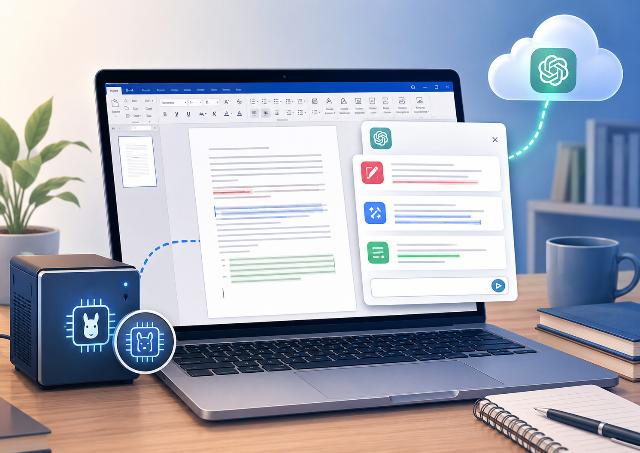
Artificial intelligence is rapidly changing the way we write, edit, and summarize documents. However, many users prefer to stick to their routines in LibreOffice Writer. They do not want to copy each piece of text into a browser. The AI Assistant for Writer extension precisely addresses this need.

Seamless Integration of AI Features

This extension adds artificial intelligence capabilities directly to LibreOffice Writer. With it, you can edit, rephrase, or summarize text without leaving your document. The tool works with OpenAI, as well as with Ollama for local usage.

Get Started with AI Assistant for Writer

You can download AI Assistant for Writer for free in OXT format. The installation is straightforward and does not require any complex modifications to LibreOffice.
Download LibreOffice 26.8 Beta 1 Now Available

Download LibreOffice 26.8

LibreOffice 26.8 Beta 1 marks a new milestone ahead of the stable release expected at the end of August 2026. Following an initial preview with Alpha 1, this new beta provides a chance to explore the latest developments in the free office suite while contributing to its enhancement.

Last May, we introduced the main innovations anticipated in LibreOffice 26.8. Today, the release of Beta 1 confirms the arrival of numerous improvements. This version is primarily aimed at users who wish to test new features and assist the community in identifying any remaining issues before the official launch.

Beginner's Guide to LibreOffice 26.2: Download Your Free PDF Guide

Download Free LibreOffice Guide 2026

The LibreOffice Getting Started Guide 26.2 is a valuable resource if you want to learn LibreOffice with a clear, comprehensive, and free method. This official document, titled The Getting Started Guide 26.2, introduces the basics of the free office suite and explains how to use its main components.

You can download it for free from the official LibreOffice book site: https://books.libreoffice.org/

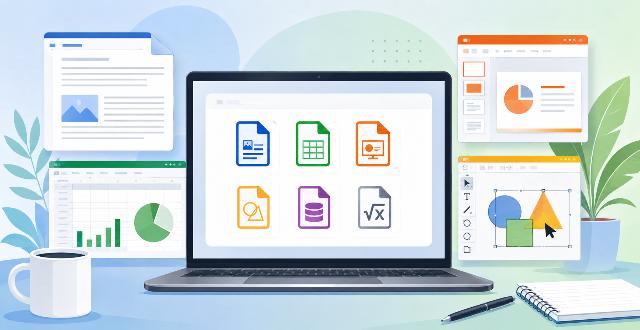
This guide is aimed primarily at those new to LibreOffice, but it can also assist users of Microsoft Office, Google Docs, or other office suites in reacquainting themselves. It covers Writer, Calc, Impress, Draw, Base, and Math, providing you with a solid overview before diving deeper. The document is published by the LibreOffice documentation team and is based on LibreOffice 26.2.

LibreOffice: The Free Alternative to Microsoft Office

Download LibreOffice for free

Download LibreOffice for free remains one of the best solutions for using a complete office suite without a subscription. In a context where Euro-Office is reigniting the debate on European office suites, LibreOffice emphasizes a crucial point: a credible alternative to Microsoft Office must be free, transparent, compatible with common documents, and based on open formats.

LibreOffice already meets these needs. The suite works on Windows, macOS, and Linux. It offers a word processor, a spreadsheet, a presentation tool, a drawing module, a database, and a formula editor. Thus, it covers most personal, educational, and professional uses.

Its main advantage lies in its model. LibreOffice does not rely on a subscription. You can install it, use it, and keep it without any cost. Moreover, its source code remains open. This allows the community to study, improve, and verify its functionality.

LibreOffice vs Euro-Office: Which Office Suite Should You Choose?

LibreOffice VS Euro-Office

LibreOffice or Euro-Office: this question has arisen since the announcement of Euro-Office and the debate initiated by The Document Foundation. For many users, the topic may seem technical. However, it addresses a very simple need: choosing a reliable office suite to write, calculate, present, and store documents.

LibreOffice already has a long history. The suite has been around since 2010, inheriting from OpenOffice.org, which was launched in 2001 from the code of StarOffice. It is supported by an international community, open-source code, and the ODF format. On the other hand, Euro-Office presents itself as a recent European solution. However, its communication raises several questions.

The open letter published by The Document Foundation highlights an important point. An office suite does not become sovereign merely by being marketed as European. It must also give users control over their files. This control depends on the software, as well as the format used to save documents.

In this article, we will compare LibreOffice and Euro-Office from a practical perspective. The goal is not to engage in controversy, but rather to understand which solution better protects your daily usage, your documents, and your freedom of choice.