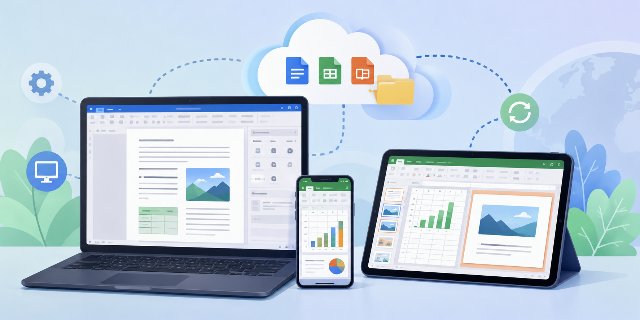
Introduction to LibreOffice's Mobile and Online Version
LibreOffice Mobile and LibreOffice Web are at the heart of new plans announced for 2026. For several years, LibreOffice users have been requesting a mobile version and a version accessible directly through a browser. Until now, the project has primarily focused on desktop computers. However, things seem to be evolving rapidly.
These plans concern several practical uses already expected by users: opening office documents on a phone, working from a tablet, using a browser without installing software, and collaborating online while keeping the principles of free software.
New Strategy for Development
On May 27, 2026, The Document Foundation announced a new strategy regarding the web and mobile development of LibreOffice. This announcement paves the way for a potential future mobile version of LibreOffice, as well as an online version that can operate directly within a web browser.
The strategy mentioned in the announcement focuses on concrete technical work. It includes the browser, mobile platforms, cloud environments, and collaborative editing. These areas are closely linked because many users now switch between a computer, a smartphone, a tablet, and online storage during the same workday.
Technical Developments
Even though no final product is available yet, the revealed technical directions clearly indicate that the project is making progress.
The main technical directions mentioned include WebAssembly, Qt 6, mobile interface work, Android and iOS testing, and collaboration experiments. Together, these elements show how LibreOffice could extend its existing desktop base toward mobile and browser-based use.
LibreOffice Aims to Evolve Beyond the Desktop
Currently, LibreOffice primarily runs on Windows, Linux, and macOS. The project also offers a limited Android viewer, but it still lacks a complete mobile office suite like Google Docs or Microsoft 365.
This situation may change.
Meetings held between the technical team and the board of The Document Foundation demonstrate a willingness to modernize the LibreOffice ecosystem. The project now aims to cover several platforms:
- desktop computers
- Android mobile
- iPhone and iPad mobile
- web browser
- cloud environment
- collaborative editing
This evolution directly addresses user expectations, as many want to edit documents from their phones or work online without installing software.
For everyday use, this means that the same office documents could be handled in more situations. A user could start on a desktop computer, continue from a browser, or check a document from a mobile device, depending on the tools that become available.
A Web Version of LibreOffice Becomes More Credible
The most significant announcement likely pertains to the work surrounding WebAssembly, often referred to as WASM.
This technology allows complex applications to run directly in a web browser. Therefore, LibreOffice could function online without heavily relying on a remote server.
According to information published by The Document Foundation, a functional prototype already exists around Qt 6 and WebAssembly.
The principle seems straightforward:
| Classic Operation | Future LibreOffice Approach |
|---|---|
| Calculations performed on the server | Calculations performed in the browser |
| High server load | Reduced load |
| Expensive infrastructure | Lighter hosting |
| Significant cloud dependency | More autonomous operation |
This approach could become a huge advantage for governments, schools, or companies that wish to maintain control over their data.
In practical terms, running more operations inside the browser can reduce the need for heavy server-side processing. The article's table summarizes this difference between a classic cloud operation and the approach described for LibreOffice Web.
Why a Web Version of LibreOffice is So Attractive
The market has changed over the last few years.
Today, many users work directly in their browsers. Google Docs has popularized this approach, while Microsoft is heavily promoting Microsoft 365.
LibreOffice had remained behind in this arena.
However, a web version would allow for numerous uses:
- quickly opening an ODT document
- editing a DOCX file without installation
- working from a tablet
- accessing files from multiple devices
- using LibreOffice on a Chromebook
- remote collaboration
This evolution could also strengthen LibreOffice's presence in schools and public services.
A browser-based version would be especially useful when installing a full desktop suite is not possible. It could also help users who need occasional access to documents from shared computers, managed devices, or lightweight machines.
LibreOffice Mobile Targets Android and iOS
The 2026 strategy also mentions an acceleration of the mobile project.
Developers aim to improve the graphical interface and conduct tests on Android and iOS. The goal is not just to display documents but to offer a genuine mobile office experience.
For now, the project still seems to be in the technical phase. However, several elements indicate that the effort is becoming serious:
- development of a touch-friendly interface
- testing on Android emulators
- specific work for iOS
- performance optimization
- adapting the LibreOffice engine for mobile
This direction could lead to a real LibreOffice Mobile application in the coming years.
A mobile office experience requires more than basic document viewing. On Android, iPhone, and iPad, the interface must be usable with touch gestures, smaller screens, virtual keyboards, and changing screen orientations. The technical work mentioned in the strategy addresses these needs.
LibreOffice Online Could Stay True to Free Software Principles
Another point draws attention.
The Document Foundation strongly emphasizes the use of open source technologies and digital sovereignty. This position significantly contrasts with the closed cloud solutions offered by some large American companies.
The project aims to:
- maintain full support for the ODF format
- protect user freedom
- avoid dependence on proprietary platforms
- support public initiatives around free software
This philosophy remains consistent with the history of LibreOffice.
In a context where many European governments are seeking alternatives to American cloud giants, a free and independent web version could find its audience.
For users and organizations already using the OpenDocument Format, full support for ODF remains a central point. It allows documents to be created and exchanged with an open standard, which is one of the existing strengths of LibreOffice.
Collaborative Editing Becomes a Priority
The meetings also discuss collaborative editing.
Today, Google Docs largely dominates this field. However, The Document Foundation wants to develop its own collaboration solutions.
The project includes testing around:
- direct TCP/IP connections
- a stable client-server architecture
- future peer-to-peer (P2P) research
The goal is to allow multiple people to work simultaneously on a document.
This functionality is becoming almost essential by 2026, as telecommuting and remote teams have grown significantly.
Collaborative editing can apply to common office tasks such as reviewing a text document, correcting a spreadsheet, preparing a presentation, or sharing comments during remote work. The article mentions direct TCP/IP connections, a client-server architecture, and future P2P research as areas being tested for this purpose.
Two Versions of LibreOffice Could Coexist
The Document Foundation clarifies an important point: the desktop version of LibreOffice remains the priority.
The project will continue to release two major updates per year for desktop versions.
This likely means that several branches will coexist:
- LibreOffice Desktop
- LibreOffice Mobile
- LibreOffice Web
- cloud collaborative tools
This strategy seems logical, as many professional users still prefer locally installed software for speed, privacy, or stability reasons.
The coexistence of desktop, mobile, web, and cloud tools would allow each environment to keep a specific role. The desktop version can remain useful for local work, while mobile and web versions can answer needs linked to portability and online access.
What Challenges Await LibreOffice
The project remains ambitious, but several difficulties are already emerging.
Performance
Running a complete office suite in a browser requires a lot of optimizations. Developers will need to maintain a smooth experience on sometimes modest devices.
Touch Interface
LibreOffice has an interface historically designed for mouse and keyboard. Adapting this to touch represents a massive undertaking.
Compatibility
The project must continue to manage:
- ODT
- DOCX
- XLSX
- PPTX
- macros
- extensions
This compatibility requires extensive testing.
Funding
The Document Foundation also emphasizes the importance of donations and public funding. Developing a mobile and cloud suite costs a lot of money and requires more developers.
These challenges are directly connected to the features already mentioned in the strategy. Performance affects the browser and mobile versions. The touch interface affects Android, iPhone, and iPad. Compatibility concerns existing document formats, macros, and extensions. Funding concerns the development resources needed to continue this work.
A Logical Evolution for LibreOffice
This new strategy primarily shows that LibreOffice refuses to remain stagnant.
For a long time, some users considered the project too focused on traditional desktop use. Now, The Document Foundation seems intent on catching up in several areas:
- mobility
- cloud
- collaboration
- ergonomics
- user experience
However, LibreOffice maintains a different approach from the industry giants.
The project continues to focus on:
- free software
- open standards
- digital independence
- privacy
- no mandatory subscription
This difference could indeed become an important advantage in the coming years.
A Future Credible Alternative to Google Docs?
There is still a lot of work to be done before we see a stable, publicly available web version of LibreOffice.
However, the announcements made in May 2026 indicate that the project is finally taking this direction seriously.
If the teams manage to provide:
- a smooth mobile version
- a high-performance web version
- effective collaborative editing
- good support for Microsoft Office formats
then LibreOffice could become a much more credible alternative to Google Docs and Microsoft 365.
For users committed to free software, digital sovereignty, and open formats, this evolution likely represents one of the most important changes in the recent history of the LibreOffice project.
FAQ about LibreOffice Mobile and Web
Is LibreOffice Mobile already available as a complete office suite?
No final complete mobile office suite is described as available yet. The article mentions a limited Android viewer and ongoing work on Android and iOS.
What technology is mentioned for LibreOffice Web?
The article mentions WebAssembly, also called WASM, together with Qt 6. This approach is described as a way to run complex applications directly in a web browser.
Will the LibreOffice desktop version continue?
Yes. The Document Foundation clarifies that the desktop version remains the priority and that two major updates per year for desktop versions will continue.
Which document formats are mentioned in relation to compatibility?
The article mentions ODT, DOCX, XLSX, PPTX, PDF, macros, and extensions as elements that the project must continue to manage.
What role does collaborative editing play in the project?
Collaborative editing is presented as a priority. The goal is to allow multiple people to work simultaneously on a document, with tests around TCP/IP connections, client-server architecture, and future P2P research.
Conclusion
LibreOffice Mobile and LibreOffice Web are part of a broader plan that includes mobile access, browser-based work, cloud environments, collaborative editing, and continued support for the desktop version. The information announced on May 27, 2026, describes technical work that is still in progress, with no final product available yet.
The main points to follow are the development of the touch interface, the use of WebAssembly and Qt 6, compatibility with major office formats, and the future of collaborative editing. For users of free software and open formats, these developments show how LibreOffice may extend beyond the traditional desktop environment while keeping its existing principles.

