Welcome to Download LibreOffice 09/16/2026 06:32am

Libreoffice

Manage Styles Effectively in LibreOffice Writer

Managing Styles in LibreOffice Writer Effectively

How to Manage Styles in LibreOffice Writer for Professional Documents

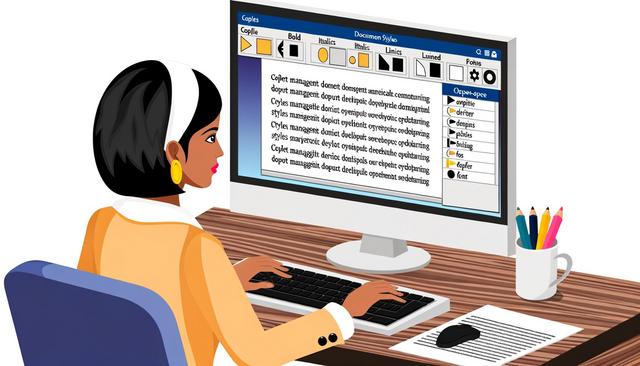
LibreOffice Writer styles help users create and manage professional documents with a consistent structure and visual appearance. LibreOffice Writer is a powerful tool that allows users to create and manage professional documents with great ease. One of the most important aspects of ensuring a well-organized and visually appealing document is the use of styles. In this article, we will explore how to effectively manage styles in LibreOffice Writer for professional documents.

Styles are useful for reports, letters, manuals, proposals, academic documents and any text that needs clear formatting. Instead of formatting each heading, paragraph or list manually, you can apply a predefined style and keep the document easier to update.
Secure Documents in LibreOffice: Best Practices

Secure your documents in LibreOffice effectively

Securing Your Documents in LibreOffice: Best Practices to Protect Your Files

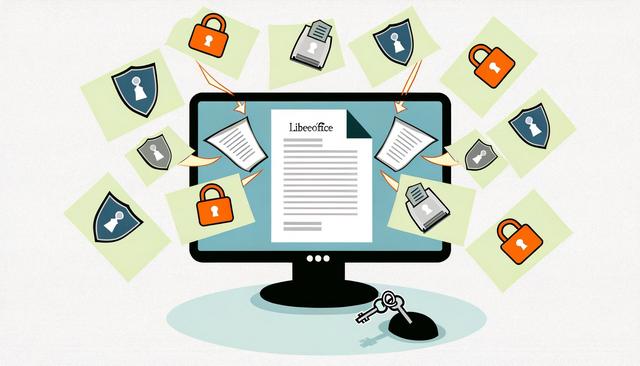
Securing documents in LibreOffice is essential when you create, edit, store, or share files that contain sensitive information. LibreOffice is a popular open-source office suite that provides a robust and free alternative to commercial software. However, just like with any software, it is crucial to adopt security measures to protect your sensitive documents. In this article, we will guide you through the best practices for securing your documents in LibreOffice.

These best practices focus on practical actions already available to users: password protection, encryption, backups, safer file sharing, regular updates, security extensions, and user awareness. Used together, they help reduce the risk of unauthorized access, data loss, and accidental exposure of important files.

Free LibreOffice 26.2 Download: 2026 Release

Free download Libreoffice 2026

If you're looking to download LibreOffice for free in 2026, version LibreOffice 26.2, released at the end of January 2026, becomes the reference version for the entire year.

This update enhances compatibility, stability, and user experience, without altering the core spirit of the project: a 100% free, open-source office suite with no subscription, maintained by an independent foundation.

The new features presented here come from the official announcements released during the beta phase.

Top 5 Free Alternatives to Microsoft Office

Top 5 free alternatives to Microsoft Office

Free Alternatives to Microsoft Office: Top 5 Comparison

Free alternatives to Microsoft Office can help you create documents, spreadsheets, presentations, and other office files without paying for a Microsoft Office subscription. In a world where digitalization is increasingly prominent, office suites play a crucial role in our professional and personal lives. Microsoft Office remains an undisputed reference. However, its cost can be a barrier for many users. Fortunately, functional free alternatives are available. In this article, we will explore the five best free alternatives to Microsoft Office, with a detailed comparison to help you make the right choice.

Each solution has its own strengths. Some are better suited to offline work, while others focus on online collaboration, cloud storage, or integration with business tools. This comparison highlights the main features, benefits, and limits already associated with LibreOffice, Google Workspace, OnlyOffice, WPS Office, and Zoho Workplace.

Compare Life Insurance with Calc: Step-by-Step Guide

Comparing life insurance: Calc Tutorial

Comparing Life Insurance with Calc: Complete Tutorial

Compare life insurance with Calc to organize policy details, review key criteria and make a clearer financial planning decision. Life insurance is a vital financial tool to secure the future of your loved ones and yourself. However, choosing the best life insurance can be quite a challenge due to the multitude of options available. With Calc, the open-source spreadsheet tool from Apache OpenOffice or LibreOffice, you can effectively compare different life insurances. In this article, we will guide you step by step to accurately perform this comparison.

Using a spreadsheet helps you place several offers side by side. You can compare premiums, withdrawal options, return rates, payment flexibility, death benefits and administrative fees in one structured table. This makes the information easier to read and easier to update.